Introduction
You know that “new year, fresh start” feeling… until your phone dies at 2% on the way out, your house looks almost clean but the couch has mystery stains, and your “organized” drawer becomes a junk vortex again by February.
The fix usually isn’t a huge lifestyle overhaul—it’s a handful of practical upgrades that remove daily friction. This guide is built to help you choose Amazon finds that earn their space: products that solve real problems, don’t require a PhD to use, and won’t feel like clutter in a month. (A “home reset” is exactly where small, high-utility buys shine.)
Category overview
What “Amazon finds” means here: not random gadgets—functional, repeat-use items that improve everyday routines (cleaning, air quality, charging, tracking, labeling, cooking accuracy, and smart home convenience).
Who these are ideal for
- Busy households who want less mess + less mental load
- Apartment renters and homeowners who prefer plug-and-play upgrades
- Anyone “starting 2026” with a reset mindset (home, work, routines)
Who should NOT buy (yet)
- If you’re moving in the next 30–60 days (wait until you know your space)
- If you’re doing a big remodel (you’ll rebuy twice)
- If you’re trying to “buy organization” without changing a single habit (you’ll just own prettier clutter)
Practical daily benefits
- Faster cleanup for inevitable spills
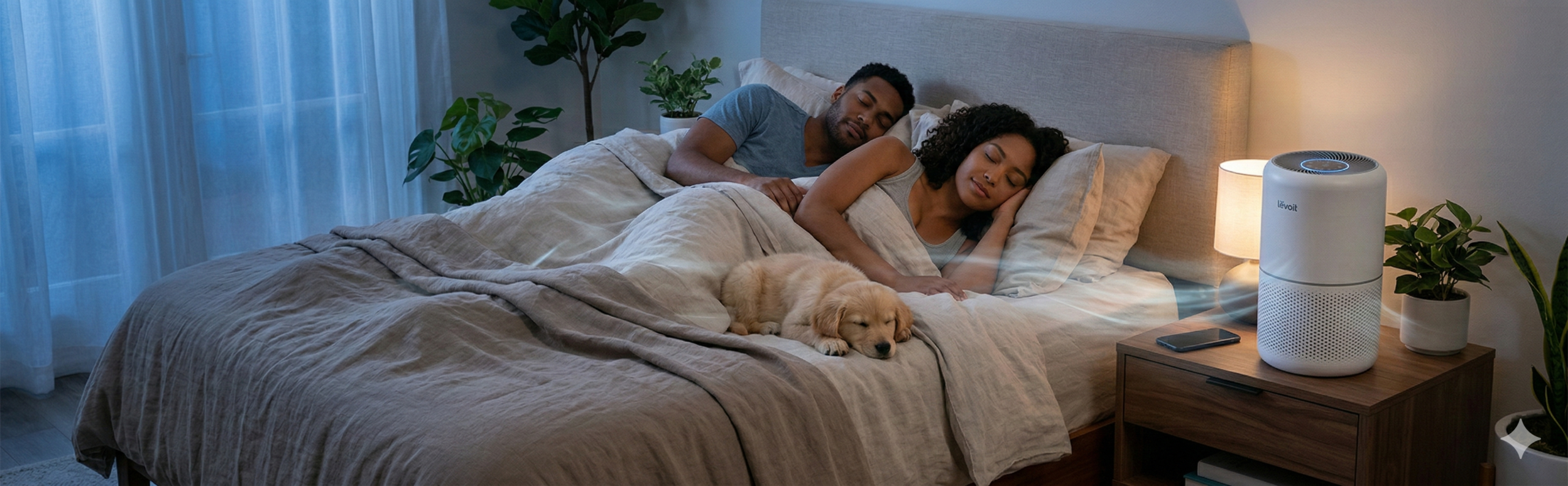
- Better sleep/comfort (air quality and noise control)
- Fewer “where did I put that?” moments
- Less cable chaos + fewer dead devices
- More consistent cooking (and fewer ruined meals)
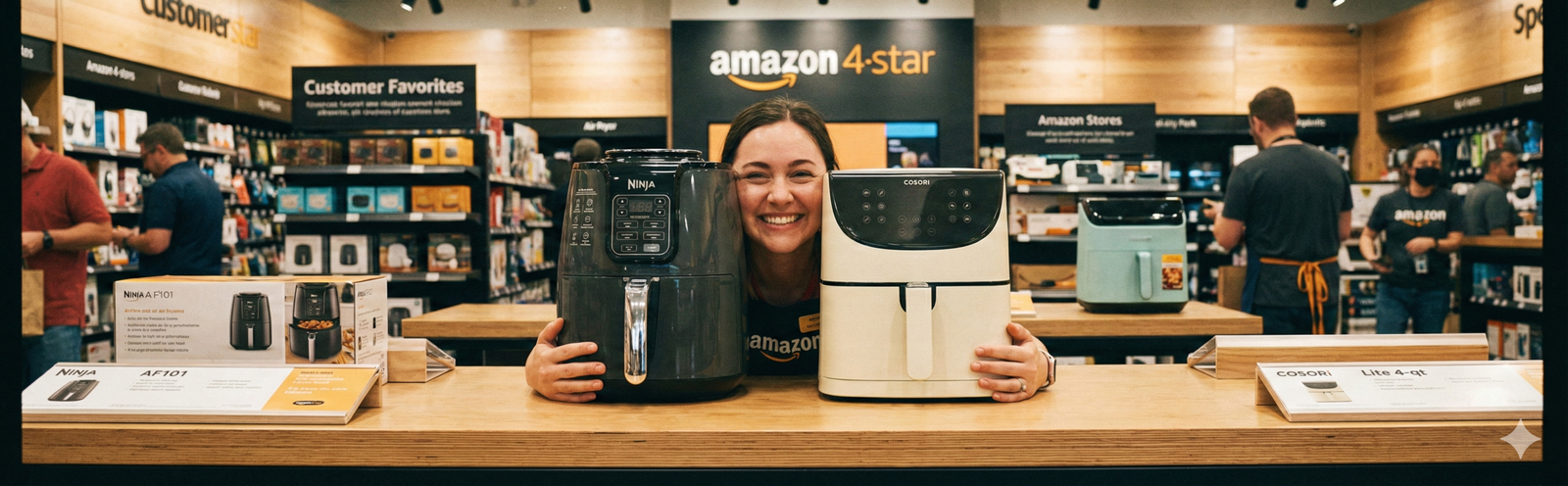
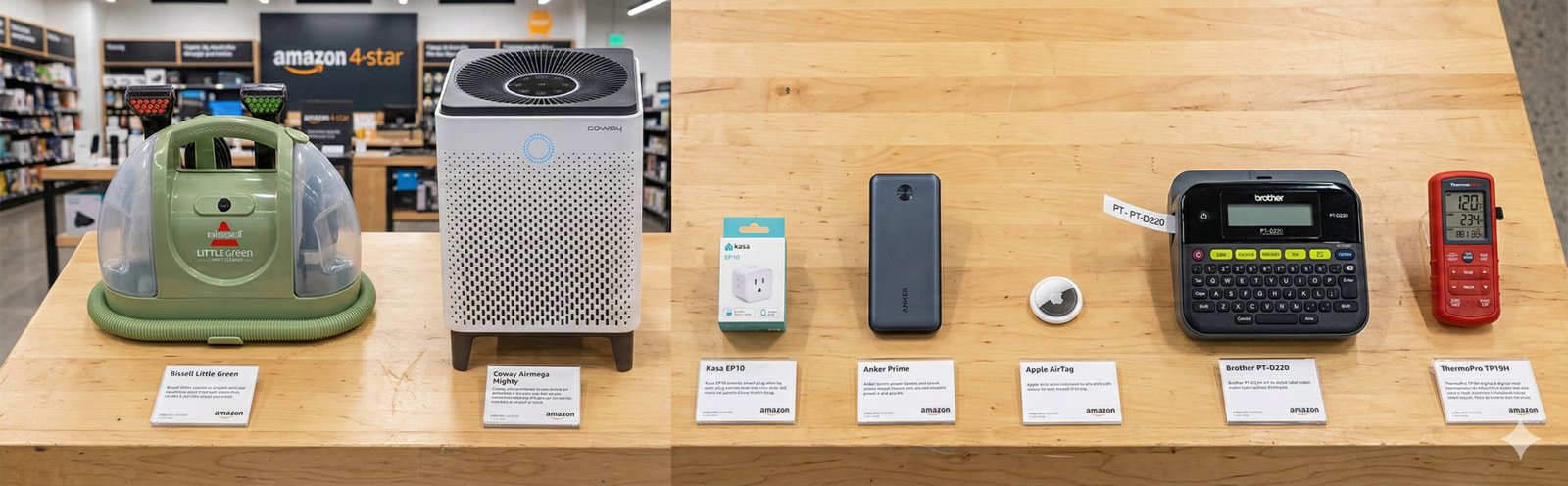
(You’ll also see a few product images above—especially ones that make sense only when you picture someone using them.)
List of the best products (Top Picks)
🔷 BISSELL Little Green Portable Carpet & Upholstery Cleaner
What it does (technical, per manufacturer + guides):
A compact spot-cleaner that sprays cleaning solution, scrubs with an attached tool, and suctions dirty water into a separate tank—ideal for upholstery, stairs, rugs, and car interiors. It uses two-tank separation (clean vs. dirty) and works best with warm water (not hot) and the correct solution mix.
How to use it (step-by-step, aligned with instructions):
- Fill the clean tank with warm tap water and the recommended amount of formula.
- Attach the stain tool firmly.
- Pre-treat: spray solution on the stain and let it sit a few minutes (common guidance is ~3–5 minutes).
- Scrub with the tool, then suction slowly on the pull-back to lift moisture.
- Empty/rinse tanks after use and clean the hose/tool so it doesn’t smell later.
Everyday wins (real-life examples):
- “Kitchen splatter” on dining chair fabric
- Pet spot accidents before they set
- Car seat + floor mat refresh without paying for detailing
Pros (based on review/testing consensus):
- Great for small messes you want handled today, not “next deep clean.”
- Easy to store; quick to grab for spot emergencies.
Cons (what people complain about, and why):
- Ongoing cost: solution refills add up if you use it weekly.
- Customer-service frustrations show up in complaint logs (often about parts/warranty handling).
Who it’s ideal for:
Parents, pet owners, renters with light carpets, anyone who wants “good enough to look clean” fast.
Kid/teen safety:
Use adult supervision (electric + water). Keep kids away from dirty-water tank contents.
Check price on Amazon.

- AMERICA’S #1 BRAND IN PORTABLE DEEP CLEANING: Trusted by over 7 million households.
- TAKE THE STRESS OUT OF MESS: Scientifically proven to lift and remove 100+ common messes and stains.
- ULTRA-POWERFUL TRIPLE ACTION FORMULA: Permanently removes stains and powerfully eliminates odors for “like new” results.
🔷 Coway Airmega Mighty AP-1512HH Air Purifier
What it does (technical):
A multi-stage purifier with a pre-filter for larger particles, a carbon/deodorization layer, and a HEPA filter for fine particles—plus auto/eco-style modes depending on air quality.
How to use it (practical setup):
- Place it where airflow isn’t blocked (give it breathing room).
- Remove any plastic packaging from filters before installing.
- Run Auto for the first day to get a baseline, then adjust fan speed for noise tolerance.
- Replace filters on schedule, then hold the reset button (per brand instructions) after swapping.
Everyday wins:
- Better “morning air” in bedrooms
- Less lingering cooking smell
- Helpful during seasonal allergies or wildfire-smoke weeks (paired with closed windows)
Pros (from reviews):
- Strong filtration design and dependable performance is why it keeps showing up in “best air purifier” lists.
Cons (and the real trade-offs):
- Noise + weight: reviewers note it can be loud on higher settings and not fun to move room-to-room.
- Filter costs/availability: replacements can be pricey or temporarily hard to find.
- Service complaints exist on consumer complaint channels (often about support experiences, not performance).
Who it’s ideal for:
Anyone who sleeps lighter, lives near traffic/pollen, has pets, or wants a bedroom-living room purifier that’s not “smart-home complicated.”
Check price on Amazon.
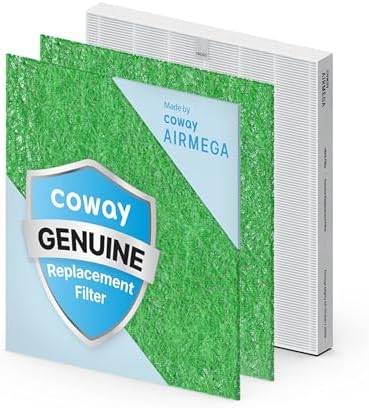
- COWAY GENUINE FILTER: The Coway Airmega AP-1512HH & 200M filter includes a HEPA filter, and Allergen filter, ensuring re…
- Compatibility and Lifespan: Compatible with the Coway Airmega AP-1512HH & 200M models (B01728NLRG, B00BTKAPUU, B08LSC9HL…
- Custom Filter Options: You can choose from multiple custom filters based on your needs: Fresh Starter filter (B00C7WMQTW…
🔷 TP-Link Kasa Smart Wi-Fi Plug Mini (EP10)
What it does (technical):
A compact smart plug that turns “dumb” devices into scheduled/voice-controlled ones. Key specs include 2.4GHz Wi-Fi only, standard household voltage, and safety certifications (UL listed materials and compliance markings are listed on the product spec pages).
How to use it (step-by-step):
- Plug it into the outlet.
- Install the Kasa app and connect your phone to 2.4GHz Wi-Fi.
- Add device → follow in-app pairing steps.
- Set schedules (coffee maker, lamp, fan) and optionally link to Alexa/Google for voice control.
Everyday wins:
- Lights that turn on before you walk in
- Holiday string lights without “did I leave them on?” stress
- Automate a fan or humidifier on a timer
Pros:
- One of the easiest “first smart-home” upgrades because it’s reversible and doesn’t require tools.
Cons (what to watch):
- If your router broadcasts only 5GHz under the same name, pairing can be annoying (because EP10 requires 2.4GHz).
- Some shoppers complain about support/RMA hassles in forums and complaint channels.
- Broader scrutiny has hit parts of the networking ecosystem around TP-Link products (especially routers). Smart plugs are a different category, but if you’re highly security-sensitive, you may prefer a Matter/Thread option.
Who it’s ideal for:
Remote workers, parents, renters, anyone who wants quick automation without rewiring.
Kid/teen safety:
Keep it out of reach for small kids (outlet-access). Teach teens not to exceed device wattage.
Check price on Amazon.

- Voice control: Kasa smart plugs that work with Alexa and Google Home Assistant. Enjoy the hands free convenience of cont…
- Easy set up and use: 2.4GHz Wi-Fi connection required. Plug in, open the Kase app, follow the simple instructions and en…
- Scheduling: Use timer or countdown schedules set your smart plug to automatically turn on and off any home electronic ap…
🔷 Anker Prime Power Bank 27,650mAh (250W, A1340)
What it does (technical):
A high-output power bank designed for phones and laptops, using USB-C PD 3.1. It has 2× USB-C + 1× USB-A ports with a combined output up to 250W, plus a display showing charge/input/output info.
How to use it (quick-start style):
- Charge the power bank via USB-C (fast recharge supported, depending on your charger).
- Plug device(s) into USB-C first for high-speed charging, USB-A for accessories.
- Use the screen to confirm you’re getting the wattage you expect.
- If you use fast charging daily, pair it with a high-quality cable rated for the wattage you’re pulling.
Everyday wins:
- Laptop survives long flights + airport delays
- One brick for “phone + tablet + laptop” instead of three chargers
- Peace of mind during power flickers
Pros (why it’s worth considering):
- Real “workhorse” class output—useful if you actually charge laptops on the go.
Cons (honest trade-offs):
- Bulk/weight: this isn’t a pocket battery.
- Expensive compared to simple 10,000mAh banks.
- Safety reality check: power banks can be recalled across the industry; a prior recall affected a specific Anker model (PowerCore 10000 A1263). It’s not the same product line, but it’s a reminder to check model numbers and follow disposal instructions if something is recalled.
- Customer-service complaints exist (often about warranty/resolution expectations).
Who it’s ideal for:
Frequent flyers, students, remote workers, photographers—anyone who truly needs laptop-level portable power.
Kid/teen safety:
Keep away from small kids (lithium battery). Don’t leave charging under pillows/blankets.
Check price on Amazon.

- Power Multiple Devices at Once: Experience 250W multi-device fast charging that keeps your laptop at 140W while simultan…
- Smart Control at Your Fingertips: Customize your charging experience with the “Anker” app. Easily monitor charging statu…
- High Capacity, Portable Power: With 27,650mAh, charge a 13-inch MacBook Air (M2) 1.28 times or an iPhone 14 up to 4.67 t…
🔷 Apple AirTag (Bluetooth Item Tracker)
What it does (technical):
A small tracker that uses the Find My network to help locate items. Battery is user-replaceable (coin cell), and Apple provides in-app instructions for battery replacement and safety warnings.
How to use it (practical steps):
- Pair AirTag with your iPhone (Find My → Items).
- Assign it to keys/bag/luggage.
- Replace the battery when prompted; follow the battery-door twist method and confirm the chime.
Everyday wins:
- Keys you always lose
- Luggage that really got left behind
- Camera bag / travel pouch sanity
Pros:
- Excellent integration for iPhone users, and Apple continues to document safety/anti-misuse features.
Cons (and why they matter):
- Works best inside the Apple ecosystem (Android users get less convenience).
- Privacy concerns are real; Apple has published steps and alerts for unwanted tracking detection, but it’s still something to understand before buying.
- Child safety: coin/button batteries are a serious ingestion hazard; the U.S. Consumer Product Safety Commission pushed enhanced warning requirements under Reese’s Law, and Apple updated packaging/in-app instructions accordingly.
Who it’s ideal for:
iPhone users who frequently misplace keys, backpacks, luggage, or work gear.
Check price on Amazon.

- Keep track of and find your items alongside friends and devices in the Find My app
- Key finder and locator for your wallet, luggage, backpack, and more. Share an AirTag with up to 5 people, so items that …
- Simple one-tap setup instantly connects AirTag with your iPhone or iPad
🔷 Brother P-touch PT-D220 Label Maker
What it does (technical):
A home/office label maker designed to print durable labels for drawers, bins, cables, pantry items, and files. Brother positions it as an everyday decluttering tool, and the full user guide is available via Brother support.
How to use it (simple workflow):
- Insert batteries or plug in (depending on your setup).
- Load compatible tape cartridge; close the cover securely. (Detailed steps are in the user guide.)
- Type text → pick font/format → preview → print.
- Cut, peel, apply on a clean dry surface.
Everyday wins:
- “One-time labeling” that prevents repeat clutter
- Clean pantry + less duplicate buying
- Cable labels that save you from unplugging the wrong thing
Pros (review consensus):
- Brother’s P-touch line is consistently recommended as a practical sweet spot for home labeling.
Cons (real-life trade-offs):
- Tape refills are the ongoing cost (and the reason to label strategically, not emotionally).
- If you want phone-based design and tiny labels, newer Bluetooth thermal labelers may feel easier (but can introduce app/subscription quirks).
Who it’s ideal for:
Parents, ADHD-friendly organization systems, home offices, small resellers, anyone tired of “mystery bins.”
Check price on Amazon.

- Ideal For Small Office, Home Office, and Home Organization: a mobile label maker to keep homes, small offices, and works…
- Prints on Brother Genuine TZe Label Tapes: Create labels that are approximately 1/2 inch (12mm) wide. Easy to peel, dura…
- Personalize Your Labels: Choose from 14 different fonts, 11 font styles, 99 designer frames, and over 600 symbols and us…
🔷 ThermoPro TP19H Instant-Read Digital Meat Thermometer
What it does (technical):
A folding instant-read thermometer designed to measure internal food temperature quickly. ThermoPro’s product listing specifies a wide temperature range and accuracy claims, and the instruction manual outlines features like display/backlight, hold/lock, and calibration.
How to use it (manual-aligned):
- Open the probe to power on (varies by version; follow your unit’s instructions).
- Insert into the thickest part of meat (avoid bone).
- Wait for the reading to stabilize; use “lock/hold” if included.
- Clean probe after each use to avoid cross-contamination.
Everyday wins:
- Chicken that’s safe without becoming dry
- Steak doneness without guessing
- Better air-fryer results (especially with thick cuts)
Pros (why it’s a smart “starter 2026” tool):
- Fast, repeat-use value—especially if you cook even 2–3 times/week.
- It’s frequently highlighted as a strong budget-friendly pick in roundups of meat thermometers.
Cons (honest reality):
- Premium thermometers can be faster/more durable and offer better long-term warranties (but cost more).
Who it’s ideal for:
Home cooks, grillers, meal-preppers, air-fryer users.
Check price on Amazon.

- Fast & Accurate: Get precise readings in just 1 second with ±0.9°F accuracy. NSF Certified for trusted food safety, this…
- 2.0″ Large Auto-Rotating Backlit Display: A large 2.0-inch backlit display with 180° auto-rotation keeps readings facing…
- Motion sensing sleep/wake: The cooking thermometer, one of the kitchen essentials, automatically powers on when the prob…
Buying Guide
What to look for before you buy (quick but powerful)
- Solve one recurring pain first.
Pick the thing that annoys you weekly (stains, lost keys, dead phone, messy pantry). That’s how a product becomes “used,” not “stored.” - Check the “maintenance cost.”
Filters (air purifiers), solution refills (spot cleaners), label tape (label makers), batteries (trackers). A cheap device can be expensive to keep. - Compatibility is everything.
- Smart plugs: many require 2.4GHz Wi-Fi.
- Trackers: AirTag shines with iPhone; Android experience differs.
- Safety + compliance = non-negotiable.
Especially power banks and anything with coin batteries. Look for known brands, follow recall news, and keep products away from kids when relevant. - Buy the “boring version” from a trusted seller.
When in doubt, choose the listing that’s sold by the brand store or shipped by the platform, and be suspicious of too-good-to-be-true bundles.
Common beginner mistakes (and how to avoid them)
- Buying 10 “organizing products” before labeling a single bin → start with a label maker + one shelf/basket system.
- Getting a smart plug and never setting schedules → schedule one device the first day.
- Buying an air purifier and placing it behind furniture → airflow matters more than aesthetics.
Cheap vs premium (when it’s worth upgrading)
- Air purifiers: smaller/cheaper models for one room; higher-end units if you need large coverage and quieter performance expectations.
- Thermometers: ThermoPro-style value picks vs. premium Thermapen-style speed/warranty.
- Power banks: smaller 10K/20K banks vs. laptop-class PD 3.1 units when you truly need it.
comparison table
| Product | Best for | Price tier* | Ongoing cost | Biggest trade-off |
|---|---|---|---|---|
| Bissell Little Green | Fast spot cleaning | $$$ | Solution refills | Needs cleanup after each use |
| Coway AP-1512HH | Bedroom air quality | $$$ | Filters | Noise/weight + filter cost |
| Kasa EP10 Smart Plug | Easy automation | $ | None | 2.4GHz Wi-Fi required |
| Anker Prime A1340 | Laptop-level portable power | $$$$ | None | Heavy + premium price |
| AirTag | Finding lost items | $$ | Coin battery | Best for iPhone users |
| Brother PT-D220 | Home/office organization | $$ | Label tape | Tape refills cost |
| ThermoPro TP19H | Cooking accuracy | $ | Battery | Premium models last longer |
FAQ
1) Are “Amazon finds” actually worth it, or mostly hype?
They’re worth it when they remove a recurring annoyance. The best ones are boring: they save time, reduce stress, and get used weekly—not once.
2) What’s the safest way to buy chargers and power banks?
Stick to reputable brands, avoid no-name listings with copied photos, and stay aware of recall notices (model numbers matter).
3) Do I need an air purifier if I already use HVAC filters?
It depends on your room and your goals. HVAC helps overall circulation, while a room purifier can meaningfully improve air where you sleep or work—especially during allergy or smoke seasons.
4) Are smart plugs hard to set up?
Usually not—but many require 2.4GHz Wi-Fi, which is the #1 setup snag.
5) Are AirTags safe around kids?
You need to treat them like any product with a coin battery: keep out of reach and follow warning guidance.
6) Which one item should I buy first if I’m only choosing one?
Choose the one that hits your weekly pain: stains → Little Green; dead devices → Anker; lost keys → AirTag; “dusty air” feeling → Coway.
Conclusion
If you want to start 2026 with purchases you won’t regret, think in terms of repeat-use upgrades:
- For a cleaner-looking home fast: Little Green
- For better bedroom comfort: Coway Airmega Mighty
- For low-effort automation: Kasa EP10
- For travel/work reliability: Anker Prime power bank
- For never-lost essentials: AirTag
- For organization that stays organized: Brother PT-D220
- For better cooking (without guesswork): ThermoPro TP19H
If you’re deciding between two products that do the same job, follow this rule: buy the one you’ll maintain. A purifier you’ll replace filters for beats a “better” purifier you ignore. A spot cleaner you rinse after use beats one that turns into a smelly closet brick.
If you have pets/kids—or you just live life on your couch—check the price of the Little Green on Amazon and start with the one mess you keep procrastinating.