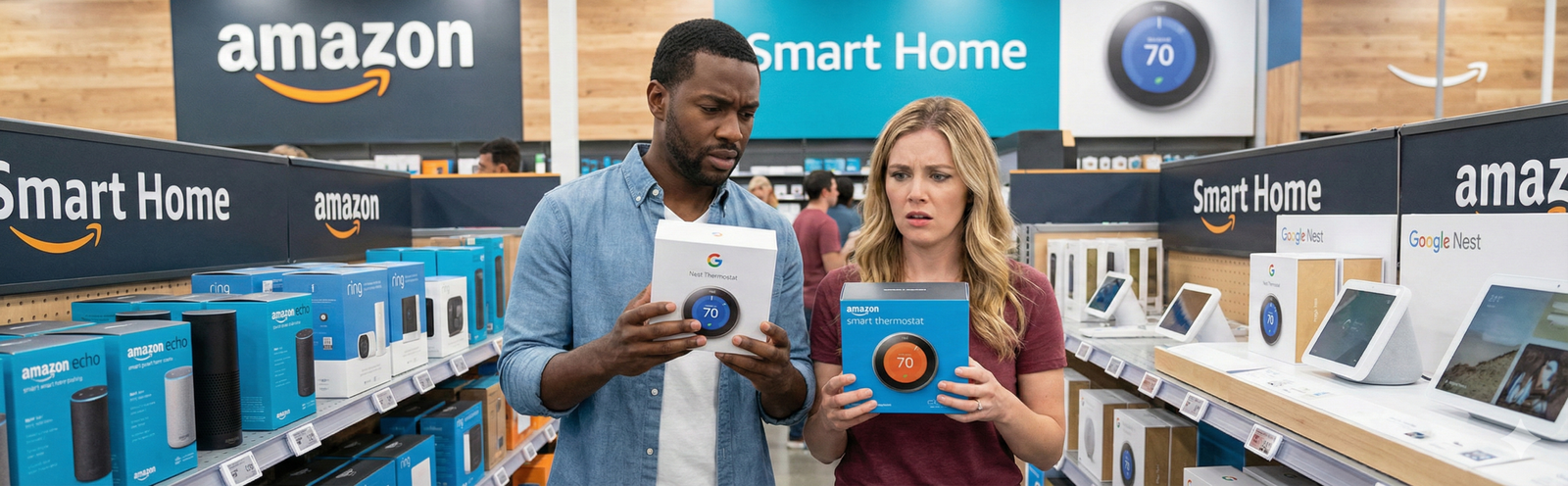
The best smart thermostat for energy savings is not automatically the one with the most features. It is the one that fits your heating system, gives you the kind of automation you will actually use, and removes the everyday waste that keeps showing up on utility bills. That is why this guide is built around real-life fit first: HVAC compatibility, room-by-room comfort needs, scheduling discipline, and how much setup friction you are willing to tolerate.
For most homes with standard 24V central HVAC, the strongest all-around choice is the ecobee Smart Thermostat Premium because it balances scheduling, room-sensor comfort, and useful energy features without forcing you into a confusing setup. If you want a thermostat that leans harder into automation, the Google Nest Learning Thermostat is the better fit. If your problem is uneven temperatures across rooms, the Honeywell Home T9 is the smarter buy. If price matters most, the Amazon Smart Thermostat is the easiest value play. And if you have electric baseboards instead of central HVAC, skip the normal 24V picks and go straight to Mysa.
Quick answer / TL;DR
- Best overall: ecobee Smart Thermostat Premium
- Best for “set it and forget it” automation: Google Nest Learning Thermostat
- Best for uneven room temperatures: Honeywell Home T9 + Smart Room Sensor
- Best budget option: Amazon Smart Thermostat
- Best for easy DIY transition: Emerson Sensi Touch
- Best for electric baseboards: Mysa
The big rule: savings usually come from consistent setbacks, away mode, and fewer manual overrides—not from buying the most expensive thermostat and hoping the app does everything for you.
Why most smart thermostats fail to save money in real life
A lot of people buy a smart thermostat expecting instant savings and then use it exactly like the old one. They leave the default settings alone, never finish the schedule, ignore away mode, and keep bumping the temperature whenever a room feels off. In that situation, the thermostat becomes a more attractive wall control, not an energy-saving system.
The other common failure is buying the wrong type of thermostat. A 24V central-HVAC model does not solve electric-baseboard heating. A hallway thermostat without sensors will not fix a back-bedroom comfort problem by itself. And a “learning” model is not magical if the household routine is chaotic and different people constantly override it.
The good news is that the basic savings logic is simple. Smart thermostats win because they make setbacks easier to do consistently, especially when your schedule is messy or your household forgets. That is where the real value appears: not in the idea of a “smart home,” but in reducing heating or cooling waste that happens over and over in ordinary life.
How smart thermostats actually save money
If you already run a disciplined manual schedule and rarely forget to change settings, your savings may be modest. But many homes are not that disciplined. The real advantage is consistency. A smart thermostat helps in four practical ways:
- Automatic setbacks: the temperature shifts when you are asleep, at work, or away.
- Away control: you stop conditioning an empty home at full comfort settings.
- Room-targeted comfort: sensors reduce the urge to overheat or overcool the whole house just to fix one problem room.
- Usage visibility: energy history or usage reports help you see why the bill changed instead of guessing.
That is also why smart thermostats pair well with broader energy habits. If you are building a more efficient house, it makes sense to combine thermostat automation with lower-waste lighting and plug control, especially in rooms that sit empty for long stretches. A thermostat alone will not fix every leak in your energy budget, but it can become the control center for the most expensive category on many utility bills.
For a deeper cluster path, see how smart thermostats reduce bills and smart plugs and lights that help lower energy bills.
A simple framework that makes the right pick easier
Most buying guides rank smart thermostats by feature count. That is the wrong approach. For energy savings, use this four-part filter instead:
The Fit → Friction → Feedback → Payback framework
Fit: Will it work with your system? Central HVAC, heat pump, multi-stage, or electric baseboard is the first question.
Friction: How hard is installation and daily use? The more complicated the setup, the more likely people leave savings features unused.
Feedback: Does it show you useful information? Energy history, usage reports, and room-sensor behavior matter because they help you keep good settings instead of reverting.
Payback: Will this model reduce waste in your specific situation enough to justify its cost? A premium sensor-based thermostat makes sense for a large two-story home, but not always for a tiny apartment with one predictable routine.
Quick comparison table
Top picks: the best smart thermostats for energy savings
ecobee Smart Thermostat Premium — best overall for comfort plus savings automation
This is the thermostat I would point most homeowners toward first because it solves the two reasons people give up on smart thermostats: uneven comfort and forgotten schedule management. It is a better match for homes where one or two important rooms keep ruining the “whole-house” temperature experience. That matters for savings because when comfort improves where people actually sit, sleep, or work, they stop cranking the thermostat to fix one room.
It is especially strong for families, two-story houses, and households with inconsistent occupancy. If your mornings are rushed, your evenings are unpredictable, and some rooms run noticeably warmer or colder, ecobee’s sensor logic makes it easier to stay comfortable without leaving the entire house at peak settings all day. It also gives you a better path into automation than a cheap thermostat that only adds app control.
Who should buy it? People who want the most complete balance of comfort correction, schedule automation, and long-term usability. Who should skip it? Small homes with one predictable schedule and no comfort imbalance, because the extra spend may not create faster payback than a simpler model. If you are planning a wider beginner-friendly smart home, it also fits naturally with a broader setup roadmap like best smart home devices for beginners.

ecobee Smart Thermostat Premium
A strong premium pick for people who want better comfort in lived-in rooms without turning the whole house into an energy sink.
- Includes a SmartSensor for room-aware comfort
- Built around scheduling and ecobee eco+ savings tools
- Compatibility should be checked before buying
Google Nest Learning Thermostat — best for people who want the thermostat to do more of the thinking
Nest makes the most sense for people who know they will not lovingly fine-tune schedules every weekend. Its value is not that it has the prettiest hardware. Its value is that it reduces the amount of discipline required to keep a home from drifting into wasteful habits. Energy History is genuinely useful for bill-related hindsight, and away-oriented controls help if your household leaves, returns, and changes plans constantly.
The caution here is not daily usability. It is version discipline. Nest buyers, especially secondhand shoppers, need to be careful about older generations. There is a huge difference between buying a current, supported model and grabbing an old used unit because the price looks attractive. If support or app control disappears, the “deal” stops being a deal.
This is the best choice for people who want a premium thermostat that feels quiet in the background, not one they have to babysit. It is less compelling if your biggest issue is one stubborn hot or cold room, because sensor-based room targeting often matters more there than learning behavior alone.

Google Nest Learning Thermostat
A strong fit for buyers who want learning behavior, eco temperatures, and a clearer picture of why heating or cooling usage changed.
- Learns routines and supports Eco behavior
- Energy History helps spot waste patterns
- Avoid unsupported older used generations
Honeywell Home T9 + Smart Room Sensor — best for fixing the room problem that causes most manual overrides
The T9 is a comfort-first energy-saver. That sounds backwards until you live with one chronically uncomfortable room. A lot of heating and cooling waste starts when the thermostat is located in a hall or common area, while the room people care about most is warmer, colder, sunnier, or more occupied than the rest of the house. The T9 is good because it lets your real living pattern influence temperature decisions instead of assuming the hallway tells the whole story.
It is an excellent fit for work-from-home setups, nurseries, upstairs bedrooms, bonus rooms, and family schedules where different zones matter at different times of day. That makes it especially useful in homes where the thermostat itself is not “wrong,” but its location is misleading. When you solve that mismatch, people stop overcorrecting the entire house and savings become easier to hold onto.
The tradeoff is setup friction. Sensors, scheduling choices, and compatibility checking take more attention than a bare-bones budget model. That is still worth it if your current problem is uneven comfort. It is not worth it if your house already stays evenly tempered and you only want app control plus a basic schedule.

Honeywell Home T9 Smart Thermostat + Smart Room Sensor
A practical answer for households that waste energy trying to fix one problem room with whole-house temperature changes.
- Works best when room sensors solve a real comfort mismatch
- Bundle includes thermostat plus Smart Room Sensor
- Check wiring and adapter needs before install
Amazon Smart Thermostat — best budget pick for Alexa households
This is the thermostat for buyers who do not need premium room-sensor logic or fancy comfort tuning. They just want remote access, basic scheduling, a simple path into energy-conscious routines, and a lower price. In the right home, that is enough. Budget thermostats can absolutely reduce waste when the main problem is human forgetfulness, not system complexity.
The key phrase is in the right home. Amazon’s thermostat makes the most sense when you are already comfortable with Alexa and do not care about cross-platform flexibility as much as cost control. If you are deep into another ecosystem or you know you want richer room-by-room management, it will feel more limiting. But for apartments, smaller houses, and first-time smart-home users, it is often the cleanest value entry point.
This is also the model I would recommend to cautious buyers who want to prove to themselves they can actually stick with scheduling before jumping into a premium tier. If you use it well for a year and find yourself wanting more comfort logic, that is when it makes sense to step up.
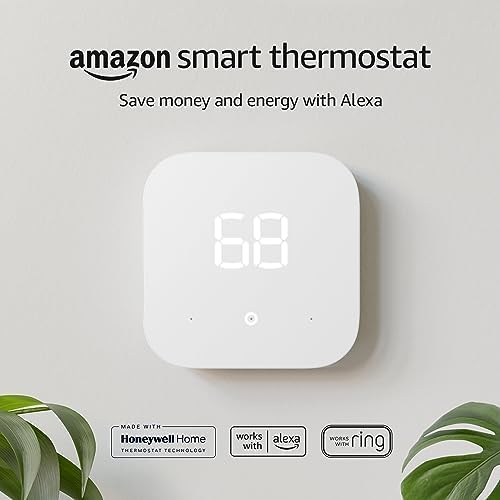
Amazon Smart Thermostat
The strongest budget value if you mainly want scheduling, app control, and Alexa-friendly operation without paying premium money.
- Good first smart thermostat for standard 24V systems
- Works best in Alexa-centered homes
- Check whether you need a C-wire adapter
Emerson Sensi Touch — best for people who want a smart thermostat that still feels familiar
Some homeowners do not want their thermostat to feel like a little experiment. They want something that looks familiar on the wall, walks them through setup clearly, and gives them the essentials without a steep learning curve. That is where Sensi makes sense. It is especially good for first-time buyers who are worried about installation complexity or who live in homes where a sleek premium design matters less than an easy, reliable transition.
Its strength is low friction. When a thermostat is easy to install and easy to understand, people are much more likely to finish the initial schedule, keep using the app, and review energy usage over time. That may sound less exciting than deep automation, but it is often more valuable in the real world. A simpler thermostat that you fully use can save more than an advanced one you half-configure.
Sensi is a smart choice for homeowners who want stability, app-based guidance, and a straightforward control style. It is not the most exciting premium ecosystem pick, but it is one of the most practical for buyers who care about installation confidence.

Emerson Sensi Touch Wi-Fi Smart Thermostat
A strong DIY-friendly option for buyers who want simple scheduling, remote control, and a more familiar thermostat experience.
- App-guided installation reduces setup friction
- Good fit for buyers who prefer familiar controls
- Advanced automation is lighter than on premium picks
Mysa — best for electric baseboards and other high-voltage electric heat
Mysa earns a spot in this guide because a lot of thermostat roundups quietly assume every reader has standard central HVAC. That is wrong. If your home uses electric baseboards, fan-forced wall heaters, or another high-voltage setup, a normal 24V smart thermostat is the wrong tool. Mysa exists for exactly that gap.
This is the right choice for condos, apartments, and homes where room-by-room electric heat creates easy opportunities for wasted runtime. It is also one of the clearest examples of why compatibility comes before features. If you buy the wrong thermostat category, you do not just lose savings potential—you may lose safe installation and useful control entirely.
Because this is high-voltage work, many buyers should treat installation more cautiously than they would with a standard low-voltage wall thermostat. That does not make Mysa a niche throwaway recommendation. It makes it the correct recommendation for the homes it is designed to serve.

Mysa Smart Thermostat for Electric Baseboard Heaters
The right pick for electric baseboard and similar high-voltage systems where per-room schedules can noticeably cut wasted heating time.
- Built for high-voltage electric heating systems
- Useful for room-by-room schedule control
- Not the right choice for standard 24V central HVAC
Who should skip buying a smart thermostat right now
A smart thermostat is not always the next best dollar. You should probably wait if any of the situations below sound familiar:
- You rent and cannot legally replace or rewire the thermostat.
- Your HVAC system compatibility is unclear and you are treating the thermostat like a blind guess.
- Your house has major insulation, sealing, or duct problems that overwhelm thermostat-level improvements.
- You already follow a strict manual schedule and rarely forget settings, so the automation premium may take longer to pay back.
- Your real comfort complaint may be air quality, airflow, or filtration—not temperature control alone. In that case, it is worth reading this indoor air quality home guide before assuming a thermostat is the whole answer.
Compatibility first: the buying step that saves the most regret
Before you compare screens, ecosystems, or sensor bundles, check your system type. This is where most buyer mistakes begin. Standard low-voltage 24V thermostats are typically meant for conventional furnaces, air conditioners, heat pumps, or similar central HVAC systems. Mysa-style models are for high-voltage electric heat. Mixing those categories is the fastest way to waste money.
The next compatibility issue is power. Many smart thermostats need a C-wire or an adapter path. That does not mean you should panic—it means you should check in advance. Compatibility is not an annoying detail. It is the foundation of whether the product works, whether the install stays safe, and whether you end up with a project you actually finish. If you want a deeper walkthrough, use this internal guide: smart thermostat installation guide.
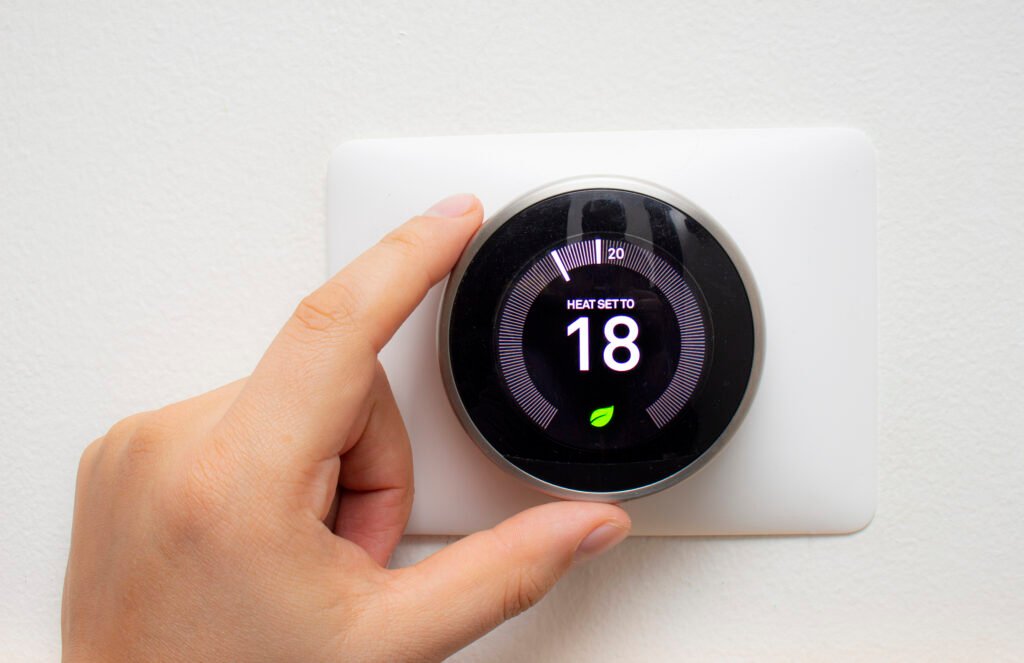
Installation matters because the easiest savings are the ones you can actually set up and keep using.
Common mistakes that erase the savings
- Buying for features instead of problems. If your house is evenly comfortable, you may not need a sensor-heavy premium pick. If your real problem is one difficult room, a cheaper schedule-only model may disappoint.
- Skipping schedule setup. Many buyers install the thermostat, admire the app, and never build a weekday/weekend routine. That is leaving most of the value unused.
- Overriding constantly. A thermostat cannot learn or optimize around chaos if everyone in the house keeps forcing changes every hour.
- Ignoring occupancy reality. Rooms that are empty all day should not be treated like rooms that are always occupied.
- Assuming the thermostat fixes the entire comfort stack. Drafts, direct sun, dirty filters, clogged vents, and air-quality issues can all feel like “temperature problems” when they are not.
A realistic routine that helps you actually keep the savings
The highest-performing thermostat routine is usually boring, which is exactly why it works. Start with a weekday schedule and a weekend schedule. Keep the overnight setback reasonable enough that the household does not resent it. Use away mode for true absences. Review energy history or usage reports once a week for the first month, then once a month after that.
Replace or clean filters on time, keep vents unobstructed, and pay attention to whether one room keeps triggering overrides. If it does, the answer may be a sensor-based priority schedule, not a more aggressive whole-home temperature. In small homes, apartments, or starter smart-home setups, pairing thermostat habits with a simpler layout strategy can help too. See smart home setup for small homes for the broader logic.
Budget vs premium: when paying more actually makes sense
A premium thermostat does not automatically save more money than a budget model. It saves more money when the premium features remove a real source of waste in your house. That distinction matters. If your home is small, evenly heated or cooled, and follows a predictable routine, the extra money for advanced sensors and broader automation may take a long time to earn back. In that case, a simpler thermostat can be the smarter financial choice because it covers the biggest source of waste: forgetting to change settings.
On the other hand, premium features often pay back faster in houses with comfort imbalance, frequent occupancy changes, work-from-home usage, or a history of “fixing” one room by changing the whole house temperature. In those homes, sensors and better scheduling logic are not luxury extras. They are the direct answer to the behavior that keeps utility costs elevated.
That is why the best question is not “What is the fanciest thermostat?” It is “What feature is removing my most expensive bad habit?” If the answer is room-by-room comfort, pay for sensors. If the answer is weak schedule discipline, a simpler budget unit may already be enough.
Your first 7 days after installation matter more than the purchase itself
A lot of smart thermostat regret comes from what happens after the install, not from the hardware choice. The first week determines whether the thermostat becomes a savings tool or just a prettier interface. The best post-install routine looks like this:
- Day 1: confirm heating and cooling modes work correctly, and verify that scheduled changes actually trigger.
- Day 2–3: set realistic sleep and away temperatures instead of aggressive ones the household will immediately override.
- Day 4–5: pay attention to the room that causes the most complaints and decide whether a sensor priority or schedule adjustment is needed.
- Day 6: check whether anyone in the home is manually overriding settings constantly and fix the schedule rather than arguing with the thermostat.
- Day 7: review usage or history data and make one small improvement, not ten different changes at once.
That discipline is what separates thermostat owners who quietly save money from owners who announce after two weeks that smart thermostats are overrated. In most cases, the product is not the issue. The issue is skipping the boring setup work that creates the savings.
Scenario-based recommendations
If you have a two-story house with one room always too hot or too cold
Choose ecobee Premium or Honeywell T9. The deciding factor is whether you want the most balanced overall premium experience or you want to lean harder into room-targeting as the main problem.
If you want the thermostat to handle the routine for you
Choose Nest Learning Thermostat. This is the easiest answer for people who know their routine shifts and they are unlikely to maintain an elaborate schedule manually.
If you are cost-sensitive and already live in Alexa
Choose Amazon Smart Thermostat. It gives you the biggest value jump over a basic thermostat without forcing premium pricing.
If you are nervous about installation or want a familiar feel
Choose Sensi Touch. Low setup friction is a real advantage because a thermostat only saves when installation and scheduling actually happen.
If you have electric baseboards or other high-voltage heating
Choose Mysa. Do not waste time trying to force a standard central-HVAC thermostat into the wrong job.
What actually matters more than brand loyalty
Buyers often come into this category asking whether ecobee is “better” than Nest, or whether Honeywell is “more reliable” than Amazon. Those questions matter less than most people think. The real ranking factors for energy savings are simpler: correct system match, completed schedule, comfortable settings people will stick to, and enough visibility to catch waste before it becomes a habit.
Brand matters when it influences the kind of experience you will tolerate. ecobee is strong when room comfort is part of the problem. Nest is strong when you want the thermostat to adapt more quietly in the background. Honeywell is strong when your main goal is to care about specific rooms. Amazon is strong when you want value and low commitment. Sensi is strong when install confidence matters. Mysa is strong when your heating system is simply different from the central-HVAC assumptions most guides make.
What to buy based on buyer type
- The practical value buyer: Amazon Smart Thermostat
- The comfort-focused household: ecobee Premium or Honeywell T9
- The automation lover: Nest Learning Thermostat
- The cautious DIY buyer: Sensi Touch
- The electric-heating household: Mysa
FAQ
Do smart thermostats really save energy?
Yes, but mainly by making setbacks and away mode more consistent. The thermostat itself is not the savings magic. Your behavior, schedule quality, and system fit still drive the outcome.
Do I need a C-wire?
Often, yes—or you need a supported adapter path. Some models are friendlier than others here, which is why compatibility should be the first filter, not the last.
Will a smart thermostat lower bills in a small apartment?
It can, especially if you leave home regularly, forget to change settings, or run the system harder than necessary because your routine changes a lot. In very small spaces with highly predictable habits, the payback may be slower.
Are room sensors worth paying extra for?
They are worth it when your comfort problem is room-specific. If every room already feels similar, the upgrade may not change much. If one bedroom, office, or upstairs area keeps driving manual overrides, sensors can be worth the extra cost quickly.
Should I buy a used older Nest?
Only if you confirm the exact generation and support status first. Older unsupported thermostats can lose app-based control, which changes the value proposition dramatically.
What is the best smart thermostat for beginners?
For the average beginner, it depends on what “beginner” means. If you want maximum value with simple goals, buy the Amazon Smart Thermostat. If you want easy install confidence with a familiar feel, buy Sensi. If you want one premium purchase that you probably will not outgrow, buy ecobee.
Final verdict
If you want the safest recommendation for most homes, buy the ecobee Smart Thermostat Premium. It solves the widest range of real problems that lead to wasted heating and cooling: comfort imbalance, inconsistent routines, and weak follow-through on schedules.
If you want a thermostat that feels more automatic and hands-off, buy the Nest Learning Thermostat. If your household keeps fighting one problem room, buy the Honeywell Home T9. If you only need a smart thermostat that is affordable and useful, buy the Amazon Smart Thermostat. If you want a low-stress DIY path, buy Sensi. And if you have electric baseboards, Mysa is the right category fit, not a side note.
That is the core truth of this category: the best smart thermostat for energy savings is the one that matches your system and your daily behavior closely enough that you keep using the savings features after the excitement of installation wears off.
Amazon disclosure
As an Amazon Associate, Buyers Choice Lab may earn from qualifying purchases. That does not change the price you pay, and it does not change the editorial goal of recommending the right fit instead of the most expensive option.