Introduction
Most of us have bought “organization” products that looked perfect online… and then quietly disappeared into a drawer. A desktop tray that becomes a dumping ground. Cable clips that don’t stick. A cute organizer that blocks your workspace instead of helping it.
That’s why this article isn’t about making your desk look like a showroom. It’s about the organization ideas that actually get used—because they reduce friction in your real routine: starting work faster, finding things without thinking, staying comfortable, and finishing the day with less mess (and less mental noise).
There’s also a real brain-based reason this matters: visual clutter competes for your attention and can fatigue cognitive functions over time.
Day-to-day situations where desk organization helps
These are the “moments” where organization pays off. Notice how each one is tied to a behavior, not a vibe.
Check out the best Amazon products we’ve selected for you in this post.
1) The “start work” moment (saving time)
If the first 10 minutes of your day are spent plugging things in, looking for a pen, and clearing space, you’re paying a daily tax.
What works in real life
- A “launch pad” tray: one small tray where only daily essentials live (keys, badge, earbuds, lip balm, USB drive).
- A single charging spot (not cables everywhere).
How to use it (simple routine)
- Keep one tray on the same corner of your desk every day.
- At night, return only “daily-use” items to that tray.
- Everything else leaves the desk surface (or goes into a drawer).
Why it helps: fewer decisions at the start of work = less mental drag.
2) The “I need this cable now” moment (practicality + consistency)
Cables are the fastest way for a desk to look chaotic—and they cause real-life annoyances: tangles, unplugging the wrong thing, or even tripping hazards around work areas.
What works
- Under-desk cable tray (or cable raceway)
- Velcro ties (more reusable than zip ties)
- Cable box for power strip (keeps the floor area calmer)
How you use it (manufacturer-style, but gentle)
- Route your power strip into one “home” under the desk (tray/box).
- Bundle cables by purpose (monitor, laptop power, peripherals).
- Leave a little slack so you can adjust your monitor/laptop without pulling.
Consistency win: once cables live in one path, cleaning takes seconds, not minutes.
3) The “switching tasks” moment (focus protection)
Switching from email → deep work → call → admin tasks is where desks explode: papers, sticky notes, random chargers, receipts.
A useful concept from workstation ergonomics is keeping items you use most often in a primary work zone, and the rest in a secondary zone.
What works
- Two zones:
- Primary zone (in front of you): keyboard/mouse, notepad, water
- Secondary zone (side/back): reference notebook, charger, stapler, papers
How to use it
- Decide what “must be reachable without leaning.” That stays primary.
- Everything else goes side/back, vertical, or inside storage.
- If an item keeps drifting into the primary zone, it’s telling you it needs a real home (drawer or organizer).
Why it helps: a clean primary zone reduces visual competition for attention.
4) The “I have to jump on a call” moment (comfort + speed)
Calls create micro-chaos: you grab headphones, a pen, maybe a sticky note—and suddenly your desk is cluttered again.
What works
- Headphone hook/stand (always the same location)
- One meeting notepad (not multiple loose papers)
- Small pen cup (one, not three)
How to use it
- Keep a notepad dedicated to calls so notes don’t spread across random sheets.
- End the call by writing one action item, then put the notepad back in its “home.”
5) The “end-of-day shutdown” moment (reset without effort)
If you end the day with clutter, you start the next day behind.
What works
- A 2-minute reset (timer helps)
- A “today” folder or vertical file organizer for papers
How to use it
- Clear the primary zone back to “work-ready.”
- Put loose papers into one folder/slot (not scattered piles).
- Plug devices into the one charging spot.
This is where organization feels like productivity: the next day starts cleaner.
Who benefits most from desk organization tools (and why)
People who live alone
You don’t have to negotiate space, so small “systems” stick easily:
- One tray, one charging spot, one drawer = low maintenance.
Families (who exactly benefits?)
- Parents working from home: fewer “where is the charger?” interruptions.
- Kids/teens (homework): a dedicated bin/tray for school supplies reduces daily searching and helps routines.
- Everyone sharing space: labeled zones prevent the desk from becoming a household dumping ground.
Small apartments
When your desk is also your dining table or bedroom corner, organization isn’t aesthetic—it’s survival.
- Under-desk storage, vertical organizers, and cable control help keep the space from feeling “always messy.”
Beginners vs enthusiasts
- Beginners: need fewer items, more consistency. Start with 2–3 tools that remove friction (tray + cable control + simple storage).
- Enthusiasts: tend to overbuy. The goal isn’t more organizers—it’s fewer visible objects in the primary zone.
Products worth considering (light examples + why they matter)
These aren’t “the best models”—just the categories that consistently help in real setups.
1) Cable management basics
- Under-desk tray / raceway
- Velcro cable ties
- Cable box for power strips
Why people keep them: they reduce visual mess and make cleaning easier, and loose cords can also be a safety/tripping issue in work areas.
What to watch in reviews: adhesive failures, sagging trays, sharp edges, and poor desk clamp fit.
Check options on Amazon

- Spacious Practical Cable Management Solution — This J channel desk cable organizer set includes 6 J channels cable manag…
- User-Friendly Design Advantage – Unlike traditional cord organizer for desk, our J channel cord management feature a uni…
- Quick Installation, Damage-Free Removal – Each wire organizers for cords comes with pre-applied adhesive tape, allowing …
2) Small-item control (the “where did that go?” fix)
- Clamp-on or stick-on under-desk drawer
- Desktop tray for daily items
Why it works: tiny items cause disproportionate distraction because you stop your work to search.
What to watch: knee clearance under the desk, and drawers that don’t slide smoothly after a few weeks.
Check options on Amazon
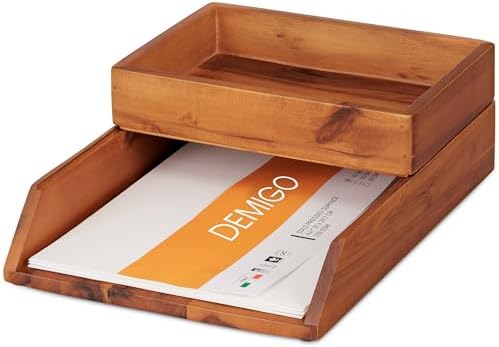
- Keep Your Documents Organized: This letter tray desk organizer set will help you control and manage your documents effec…
- Desk Paper Tray: The desk storage set includes a letter-size paper tray of 13 x 9.45 x 2.4 inches which is ideal for sto…
- Rectangle Accessory Tray: A rectangular acacia wood holder of 9.45 x 6.7 x 2.2 inches that offers an option for items su…
Check options on Amazon
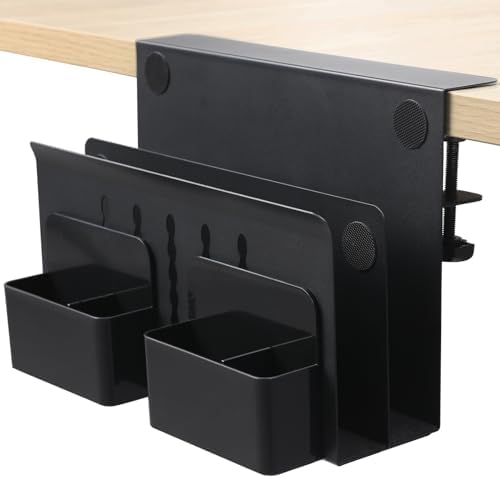
- 【High Quality Material】This metal side hanging desk organizer is crafted from high quality iron. This sturdy under-desk …
- 【Clamp Under Desk Storage & No Drill Design】Our clamp on side desk storage requires no drilling or tools. The rubber cus…
- 【Multifunctional Storage & Additional Pen Holders】This desk accessory is equipped with pen holders and designed to hold …
3) Desk surface calm (focus-friendly setup)
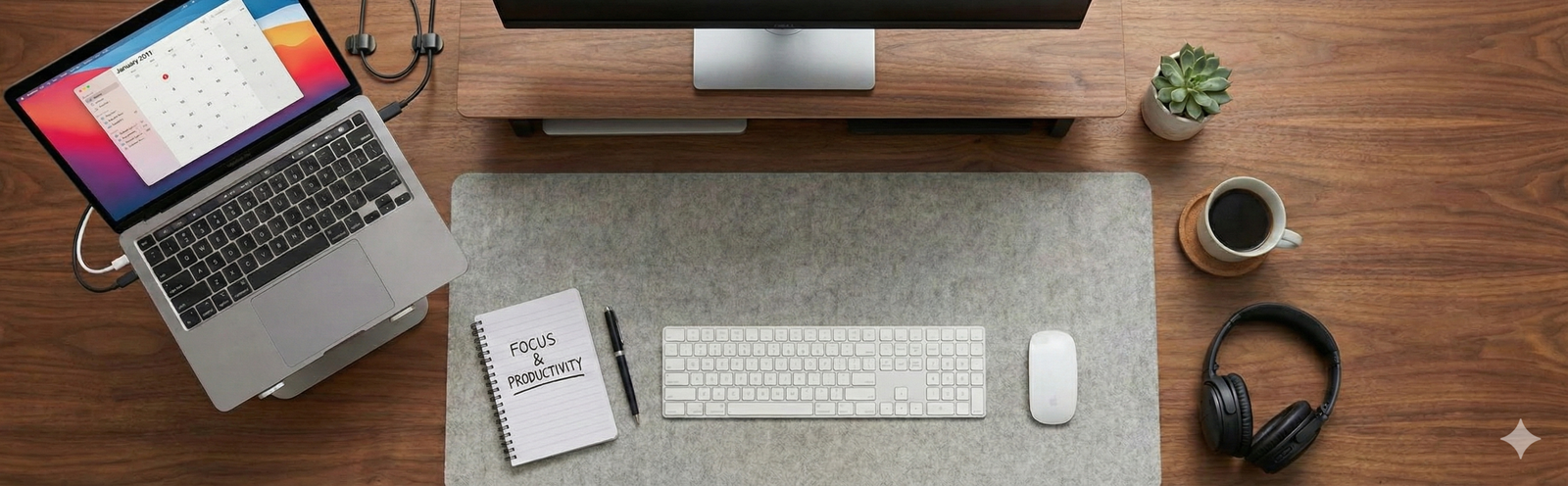
- Desk mat (defines a “work zone”)
- Vertical file organizer (paper goes up, not out)
Why it works: reduces the spread of items and makes the desk feel “bounded,” which supports focus—messy desks are associated with lower persistence and more frustration in some research.
Check options on Amazon

- PROTECT YOUR DESK:Made of durable PU leather material, which protects your desk from scratches, stains, spills, heat and…
- MULTIFUNCTIONAL DESK PAD:31.5 x 15.7 Inch Size is large enough to accommodate your laptop, mouse and keyboard. Its comfo…
- SPECIAL NON-SLIP DESIGN: Special suede design for back side,increase friction resistance with the desktop,Non slip.The f…
Check options on Amazon

- Unique 3+2 Shelves Design: 3 Tier sliding trays are perfect for storage all your documents,file folders and other desk a…
- Made of sturdy metal steel mesh with smooth edge and professional black finish, more durable and stable, strong enough t…
- The 3-tier paper tray and two vertical file shelves have a beautiful A4/letter size paper, documents,notepad, book, mail…
4) Monitor space & comfort helpers (organization by freeing space)
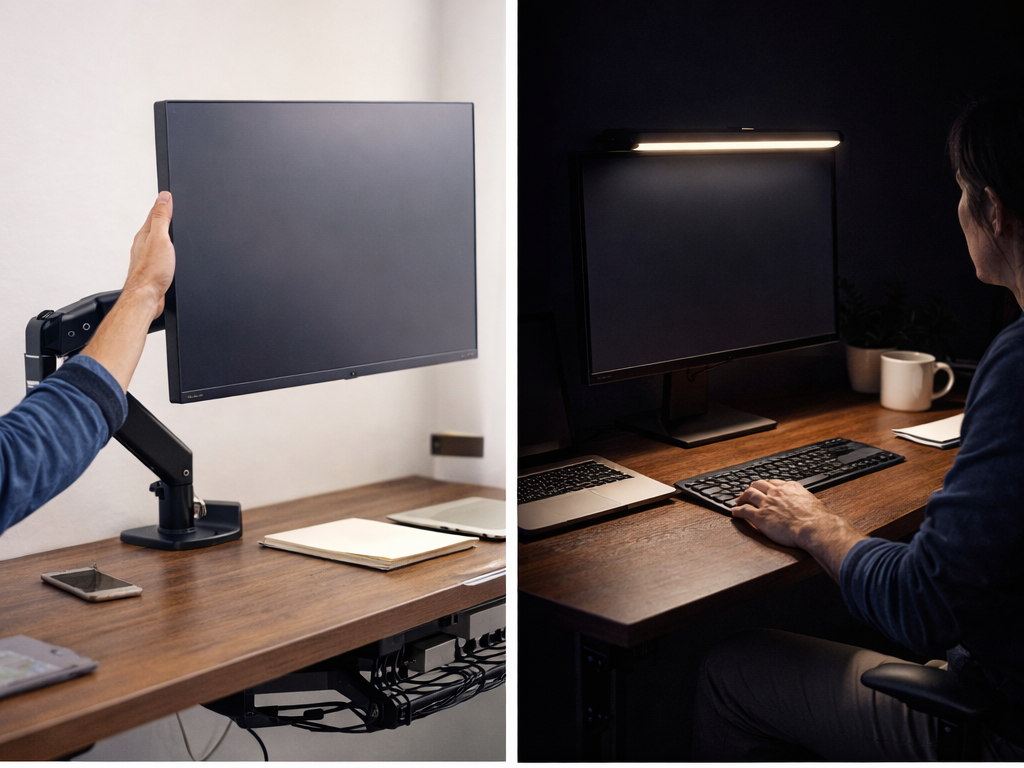
- Monitor riser or monitor arm (depending on desk depth)
Why it helps organization: when the monitor is lifted, you gain usable space underneath for a notebook or small storage. Also, ergonomics guidance often emphasizes workstation setup choices that support comfort and reduce strain.
Check options on Amazon

- COMPATIBILITY ☞ Single Computer monitor mount free standing Desk Stand Riser fitting screens for 13,15,17,19,21,23,27,30…
- ERGONOMIC VIEWING ☞ designed to elevate your monitor to a better viewing angle encouraging better posture for your neck …
- FUNCTIONAL DESIGN☞ Adjustable bracket offers -15°to +10° tilt, -50° to +50° swivel, 360° rotation, and 4 level height ad…
Conclusion
Desk organization that improves focus isn’t about buying more containers—it’s about reducing small daily frictions:
- A clear primary zone (less visual noise)
- Cables controlled (less chaos + safer walkways)
- Tiny items contained (less searching)
- A 2-minute reset (so tomorrow starts easy)
For specific desk accessories, price ranges, and the “this one is worth it” picks, send the reader to your pillar post Best Desk Accessories for Home Offices (That You’ll Actually Use) with an anchor like:
- “Want the shortcuts? See our full guide to desk accessories you’ll actually use.”
And if they want the mindset behind choosing tools (without overbuying), link back to Cluster 01:
- “Before you buy, here’s how to choose productivity tools that actually help.”
Check out the best Amazon deals in these two posts below.