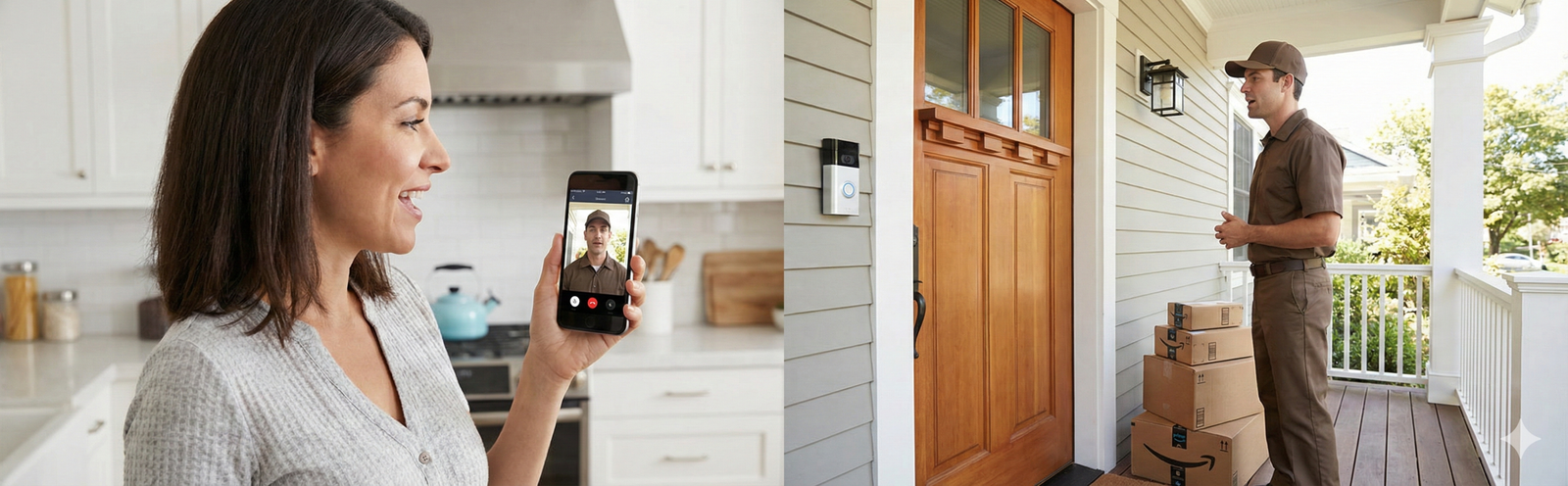
Most people do not actually need to choose between a smart doorbell and a security camera because they are not solving the same everyday job. A doorbell is built for the front-door moment: a visitor, a delivery, a quick look, a fast response. A camera is built for coverage: a driveway, side path, yard, garage, or the wider context around what happened. Once you separate those jobs, this decision gets much easier.
That is also why so many buyers end up disappointed. They buy one device expecting it to do everything, place it in the wrong spot, ignore storage and notification settings, and then decide the category itself is the problem. In real life, the winning setup is usually the one that matches your routine, your home layout, and the amount of maintenance you are actually willing to do.
Quick answer
Choose a smart doorbell if your biggest daily need is visitors, packages, and quick two-way talk at the front door.
Choose security cameras if your biggest need is wider coverage beyond the doorstep, including driveways, side entries, garages, or backyards.
Choose both if you want the most practical setup for a house: the doorbell handles interaction, and the camera handles context and evidence.
The framework that makes this decision simple
Instead of comparing specs first, use this three-part filter:
- Doorstep job: Who is here, where should the package go, do I need to answer without opening the door?
- Zone coverage job: What is happening around the property before and after someone reaches the door?
- Evidence job: If something goes wrong, will I have a useful clip from the right angle at the right time?
A smart doorbell is strongest at the first job. A security camera is strongest at the second. The third job depends less on brand marketing and more on power source, placement, storage, and how stable your setup is day to day.
What each device actually does well in real life
Smart doorbells: best for the front-door workflow
A doorbell works best when your security question is really a convenience question wearing security clothing. You want to know when a package arrives. You want to see whether the person outside is a neighbor, driver, solicitor, or stranger. You want to speak through your phone without interrupting your day. You want a single alert that feels worth checking because it is tied to a very specific location.
That is why doorbells usually have the lower learning curve. One device. One obvious placement. One routine. Even buyers who are not especially technical tend to build a habit around checking the front door because it maps directly to real life.
- Great for packages, food deliveries, and expected visitors.
- Great for people who want two-way talk without opening the door.
- Great for renters and smaller homes when installation options are limited.
- Less great when your real problem happens away from the front step.
The catch is that many buyers overestimate how much a doorbell can see. If your delivery drivers leave packages at the garage, side entrance, or a parcel box down the walkway, the doorbell may tell only part of the story. If you live on a corner lot or have a long driveway, it may show the ending of an event rather than the beginning.
Best next read: If you already know you are leaning toward a doorbell, compare the everyday features that matter before you buy in Smart Doorbell Features Explained.
Security cameras: best for wider coverage and context
A security camera makes more sense when your biggest concern is not the knock at the door but the movement around the property. A camera can watch the driveway, the path to the front entry, the side gate, the garage, the backyard, or the blind spot a doorbell will never capture well. That wider angle is often what turns a vague alert into a useful story.
This matters more than people think. A front-door clip may show that someone took a package. A driveway or yard camera may show where they came from, whether they had a vehicle, whether someone else was involved, and what happened before and after the clip you would otherwise rely on.
- Better for driveways, garages, yards, side entries, and detached spaces.
- Better when your risk is about property coverage rather than doorstep interaction.
- Better when you need flexible placement at different heights and angles.
- Less natural than a doorbell for visitor conversations and delivery instructions.
The tradeoff is complexity. One camera can still be simple. Multiple cameras can become a small system. More devices mean more mounting decisions, more app settings, more notification zones, and more chances for one weak link to create frustration.
Why “both” is often the most honest answer for houses
For a typical house, the practical answer is often not either-or. It is one doorbell plus one well-placed outdoor camera. The doorbell handles the front-step experience. The camera handles the wider scene. This setup avoids the usual disappointment of asking a single device to cover every angle while still staying manageable.
If you want specific model recommendations after you decide the right setup, the most direct internal shortcut is Best Smart Doorbells for Home Security, which is the better place for product-level comparisons than this decision guide.
Why most doorbells and cameras fail in real life
A lot of buyers blame the device when the real problem is the setup. These are the patterns that create most of the frustration:
1) Buying coverage when you really wanted conversation
If your actual daily pain point is deliveries, visitors, or not wanting to open the door, a general outdoor camera may feel strangely unsatisfying even if the video looks good. It does not live where the interaction happens, and it does not create the same quick-response habit. That mismatch is why some buyers install a camera and still end up wanting a doorbell later.
2) Buying a doorbell when the real issue is your property layout
A doorbell cannot fix a long driveway, a detached garage, a side entrance that gets more use than the front door, or a backyard gate that is the real access point. In those cases, a doorbell can still be useful, but it should not be your only line of visibility.
3) Ignoring power source and assuming all recording behavior is the same
Battery devices are appealing because installation is easier, but many buyers do not think enough about the tradeoff. A battery-powered device has to be selective to preserve runtime. A wired device can usually behave more aggressively because power is not the limiting factor. That does not automatically make wired “better” for everyone, but it does make it more predictable for busy front doors or high-traffic areas.
4) Leaving motion alerts on factory settings
A perfectly good device can feel terrible if it nags you all day. Trees, headlights, a sidewalk, a shared hallway, and street activity can turn a useful security tool into something people mute or ignore. Once you stop trusting alerts, the system is functionally broken even if the hardware is fine. Motion zones, sensitivity, notification schedules, and activity preferences are not optional details. They are the difference between “helpful” and “annoying.”
5) Poor placement
A doorbell that points into glare, captures mostly a wall, or misses where packages land will underperform. A camera mounted too high can miss faces. A camera mounted too low can be easy to tamper with. Placement is not just about whether the device is technically installed. It is about whether the angle answers your real question when you replay footage later.
6) Underestimating storage and subscription decisions
A lot of shopper frustration appears after setup day. Some people only then realize they wanted longer history, richer alerts, easier clip review, or local storage instead of cloud dependence. Others pay for features they never actually use. Before you buy, decide whether you mainly care about live view, short event clips, searchable history, or keeping ongoing costs low. That one choice will narrow your options much faster than a long spec sheet.
Doorbell vs camera by living situation
Apartment or condo
A doorbell usually makes more sense here because the front-door interaction is the main event. In many apartments, you are not trying to monitor a yard or driveway. You want to see who is outside, manage deliveries, and avoid opening the door blindly. A single camera can help in some setups, but window glare, hallway rules, and privacy considerations often make it less clean than buyers expect.
If you are building a small-space setup overall, Smart Home Setup for Small Homes is a useful companion because it helps you think beyond this one device and avoid cluttering a limited space with gear you will not maintain.
Townhouse or small house
This is the category where buyers are most tempted to overbuy. A doorbell may be enough if your front entry is the only realistic access point and the rest of the exterior is limited. But if the garage, side path, or driveway matters, add a single camera rather than hoping the doorbell angle will somehow cover everything.
Larger house, corner lot, long driveway, or detached garage
This is where security cameras become much harder to skip. The larger the property, the less sensible it is to ask a front-door device to represent the whole security picture. A doorbell can still be valuable, but it should be treated as one part of the setup rather than the setup itself.
Renters
Renters often benefit from the simplest setup they can install and remove cleanly. That usually means a doorbell first, or an indoor camera facing the entry area if exterior mounting is not practical or allowed. The key is not whether you can technically add more devices. It is whether you should invest in a setup you may need to change after the next move.
Beginners building a first smart home
If this is your first smart-home purchase, starting with a doorbell is often the less frustrating move because the benefit is immediate and the maintenance burden is lower. Then you can decide later whether the gaps you still feel justify cameras. For a broader beginner roadmap, Best Smart Home Devices for Beginners helps keep the rest of your setup aligned instead of piling on random gadgets.
Who should skip a smart doorbell
- People whose real concern is the driveway, backyard, side gate, or detached garage.
- Anyone with a home layout where the front door is not the main access or package drop point.
- Buyers who assume a front-door lens will replace broader property coverage.
- People who are unlikely to tune alerts and will get overwhelmed by motion from a busy street or shared hallway.
A doorbell is not a bad device in these situations. It is simply not the first device to solve the main problem.
Who should skip standalone security cameras
- People who mainly want to talk to visitors and manage deliveries at the front door.
- Renters or beginners who want a low-friction first step and will not maintain multiple devices.
- Buyers who know they only care about one specific front-entry moment and not broader monitoring.
- Anyone tempted to create a complicated system before confirming they will actually use it.
Common mistakes people make before they buy
Mistake #1: Shopping by hype instead of routine
Ask what happens at your home every week, not what sounds impressive in a product listing. Do you get multiple deliveries a day? Do strangers knock often? Is the garage the real vulnerability? Does your dog walker use a side gate? Security setups should follow actual patterns, not imaginary worst-case scenarios alone.
Mistake #2: Ignoring ecosystem fit
You do not need to be locked into an ecosystem, but you should care whether the app experience fits the rest of your home. A technically good camera is less useful if nobody in the home checks its alerts because the app feels like a chore. Convenience is part of security because the whole point is to keep using the device after the novelty fades.
Mistake #3: Thinking more cameras automatically means better security
A bad multi-camera setup is worse than a simple one you actually maintain. Every added device increases placement decisions, storage questions, charging or power concerns, and alert fatigue. Coverage only helps if the footage is meaningful and the system remains active.
Mistake #4: Forgetting nighttime reality
People compare daytime images and forget that many security decisions matter most at night. Look at where your porch lights, garage lights, and street lighting really fall. A technically capable device still struggles if the angle is poor, reflective surfaces create glare, or the key path is darker than you assumed.
Mistake #5: Treating subscription costs as an afterthought
Some buyers care deeply about minimizing monthly costs. Others care more about polished clip history and easy sharing. Neither preference is wrong, but pretending you do not care before purchase usually creates regret. Decide that tradeoff early.
How to decide based on what usually happens at your home
Scenario 1: Packages disappear or you miss deliveries
Start with a doorbell if the problem is mainly the front step and you want to communicate quickly with drivers. Add a camera if deliveries also end up in side locations or if the walk up to the house matters as much as the final drop spot.
Scenario 2: You want to know who is outside before opening the door
Doorbell first. This is exactly the kind of frictionless job doorbells are good at. It is fast, obvious, and more likely to become a habit than opening a general camera view every time.
Scenario 3: Cars, garage access, or a side gate matter most
Camera first. A doorbell will not solve a driveway or side-entry problem unless those areas happen to be visible from the front door in a useful way, which is less common than many buyers assume.
Scenario 4: You want the most sensible family setup
Doorbell plus one outdoor camera. Families often benefit from seeing visitors at the door while also keeping an eye on the path, driveway, or other access area. This combination usually delivers the biggest real-life improvement without turning the home into a tech project.
Scenario 5: You want the simplest setup possible
A single well-chosen doorbell is often the cleanest answer. Simpler systems get checked more, ignored less, and stay active longer. That matters.
Scenario 6: You care most about reliable footage
Think less about “doorbell versus camera” as a category fight and more about wired versus battery, stable placement, and how much traffic the area sees. Reliability problems often come from setup choices rather than a broad product category. If consistency is the priority, a wired doorbell or a more permanently powered camera setup tends to make more sense than a battery-first strategy in a very busy zone.
The honest buying rule
If you need to talk, think doorbell. If you need to watch space, think camera. If you need both without compromise, build around a doorbell plus one strategic camera rather than chasing a single “do-everything” device.
A realistic maintenance routine people actually stick with
Security devices only help when they stay active and trustworthy. The good news is that maintenance does not need to become a project. A simple routine prevents most of the problems that make buyers give up:
- Once a month: open the app, review recent events, and confirm clips are actually saving the way you expect.
- Check angles after weather changes: foliage growth, seasonal glare, or a shifted mount can quietly ruin your best view.
- Review notification zones: what felt fine in winter may become unbearable when tree movement or street traffic changes.
- Clean the lens: a dusty lens, spiderwebs, or water spots can make a good device look mediocre.
- Test nighttime visibility: do not assume a daytime install means nighttime clarity where you need it.
If even that sounds like more work than you want, keep the setup small. That answer is better than overspending on devices you will eventually ignore.
How privacy and storage should influence your choice
Privacy concerns often show up late in the decision, but they deserve attention earlier. Some buyers are comfortable with cloud-first platforms because the app experience is simple and the clips are easy to review from anywhere. Others would rather prioritize local storage or reduce ongoing subscriptions. The right answer depends less on internet arguments and more on your tolerance for recurring costs, convenience, and account-based ecosystems.
This matters especially when deciding between a “just buy one now” doorbell and a broader camera plan. Once you know your storage preference, many options fall away naturally. If this is where you are stuck, that is another reason to review the feature guide before you commit.
How not to waste money on the wrong setup
Here is the pattern that saves the most buyers money: start with the device that solves the problem you feel every week. Do not buy a broad system first if your daily annoyance is simply missing packages. Do not buy a front-door device first if your actual risk is a side gate or garage. Solve the most repeated pain point, live with it for a few weeks, and then decide whether there is still a real gap.
That is also why many people should not begin with an expensive multi-device bundle. Bundles look efficient on paper, but they often lock you into complexity before you know whether you even like the workflow. A good first purchase is one that teaches you what matters in your own home.
What people usually regret after buying
- Not thinking about where packages actually land.
- Assuming the front door is the most important security zone when it is really the side path or garage.
- Buying battery because it felt easier, then getting annoyed by the maintenance tradeoff.
- Turning on too many notifications and mentally checking out.
- Skipping the wider context that explains what happened before a person reached the door.
- Overbuilding the system and underusing it.
Scenario-based recommendations
Best choice for most apartment dwellers
Start with a smart doorbell. It solves the highest-frequency problem with the lowest friction. Add anything else only after you have confirmed you still need more visibility.
Best choice for most single-family homes
Start with a smart doorbell plus one outdoor camera. That setup gives you the doorstep interaction and the wider scene without immediately becoming a maintenance headache.
Best choice for larger or more complex properties
Prioritize cameras first, then add a doorbell if front-door interaction matters. Wider coverage should come before convenience features when the property layout itself is the main challenge.
Best choice for tech-minimal buyers
One device, one problem, one routine. That usually means a single doorbell if your front door is your main concern. Complexity is not a virtue if you will not maintain it.
Best choice for buyers comparing features and specific models
Once you know the right setup, move to model-level research instead of endlessly debating categories. The practical next step is Best Smart Doorbells for Home Security for product picks, and Smart Doorbell Features Explained for deciding what features are actually worth paying for.
Smart doorbell tradeoffs buyers should understand before checkout
A smart doorbell sounds simple because it usually is simple compared with a larger camera setup, but buyers still run into the same predictable tradeoffs. The first is angle. Doorbells live where the button belongs, not necessarily where the best camera angle would be if you were designing coverage from scratch. The second is height. A doorbell sees the world from the perspective of the entry, which is great for faces and conversations but not always ideal for following movement away from the door. The third is expectations. A doorbell is not automatically a perimeter device just because it has a camera.
That does not make doorbells less valuable. It simply means you should buy them for the reasons they excel. When buyers stay honest about that, satisfaction is much higher. A doorbell is strongest when it becomes a natural part of your daily rhythm: the package arrives, the visitor rings, the alert pops up, you check it, and you move on. That frictionless usefulness is the entire point.
Security camera tradeoffs buyers usually discover too late
Cameras offer more flexibility, but that flexibility comes with decisions. Where exactly should the camera go? Is the angle too wide to be useful, or too narrow to capture context? Will the area you care about be backlit in the morning or washed out by headlights at night? Will one camera solve the blind spot, or will you immediately feel pressure to add another? These are not dealbreakers. They are simply part of buying coverage instead of buying a front-door interaction tool.
The smartest camera buyers usually think in zones, not gadgets. They define the part of the property that matters most, decide what they want to see entering and leaving that zone, and then choose the most stable placement they can maintain. That mindset is much more useful than asking which category sounds more secure in the abstract.
A quick planning checklist before you spend anything
- Stand outside and identify where you would want footage from if a package disappeared tomorrow.
- Trace the path a stranger, guest, driver, or service worker usually takes to your home.
- Notice whether the front door is truly the main action point or just the most obvious one.
- Decide whether your priority is talking, watching, or recording dependable evidence.
- Choose the smallest setup that solves that priority cleanly.
Do that first, and you will skip most of the confusion that keeps this comparison page necessary in the first place.
FAQ
Is a smart doorbell better than a security camera?
Not universally. A smart doorbell is better for front-door interaction, packages, and quick response. A security camera is better for broader monitoring and flexible placement. The better device is the one that matches the job you actually need done.
Do I need both a video doorbell and security cameras?
Many homeowners eventually prefer both because each device covers a different gap. But not everyone needs to buy both at once. Start with the device that solves your biggest weekly problem, then expand only if a real gap remains.
Are smart doorbells enough for package theft?
They can be enough when packages are consistently left at the front step and you mainly need visibility plus fast alerts. They are not enough when deliveries land in multiple locations or when you also need the wider path into and away from the property.
Are security cameras better for driveways and backyards?
Yes. Those areas usually call for flexible placement, wider coverage, and angles that a front-door device is not designed to provide.
What is the best setup for a renter?
In many cases, a simple doorbell or a minimal entry-focused setup is the best starting point because it delivers the clearest everyday value without committing to a bigger installation you may need to undo later.
Which is easier to maintain: a doorbell or a camera?
A single smart doorbell is usually easier to maintain because the placement and workflow are more obvious. A single camera can also be simple, but multi-camera setups usually require more tuning and oversight.
Should beginners start with a doorbell or a camera?
Beginners often do better starting with a doorbell because the benefit is immediate and the habit forms quickly. Start with a camera first only if your property layout clearly makes broader coverage the bigger need.
What matters more than brand when comparing doorbells and cameras?
Placement, power source, storage approach, alert settings, and whether the setup matches your actual routine matter more than brand marketing. A well-matched device from a decent platform beats a hyped device solving the wrong problem.
Final verdict
If your home life revolves around the front door, start with a smart doorbell. If your concern is the property around the home, start with security cameras. If you live in a typical house and want the strongest everyday setup without going overboard, a doorbell plus one strategically placed camera is the most practical middle ground.
The mistake is not choosing the “wrong brand.” The mistake is buying the wrong type of visibility for the problem you actually have. Get the job right first. Then compare products.
Ready for product picks? Go straight to Best Smart Doorbells for Home Security for specific options, or use Smart Doorbell Features Explained if you want to narrow the feature list first.
If you are building a first-time setup for a smaller home, pair that with Best Smart Home Devices for Beginners and Smart Home Setup for Small Homes.
Amazon disclosure: As an Amazon Associate, Buyers Choice Lab may earn from qualifying purchases. That does not change our editorial goal of matching people to the setup they are most likely to use well. Read the full disclosure here: About Us & Affiliate Disclosure.