Setting up a smart home in a small house or apartment should feel easier than automating a large home. In reality, small spaces punish bad buying decisions faster. A bulky smart plug blocks the only outlet you actually use. A second app becomes annoying when two people share the same bedroom. A security device that needs constant charging becomes visible clutter because there is nowhere to hide it. And a cheap gadget that disconnects once a week feels far more disruptive when your whole routine depends on it.
That is why the smartest small-home setup is usually not the biggest setup. It is the most intentional one. The goal is not to fill every room with “smart” products. The goal is to remove friction from everyday life without adding visual mess, subscription fatigue, or ecosystem headaches.
If you are just starting out, this guide will help you decide what to buy first, what to skip, what is worth paying more for, and how to build a setup that still feels useful six months from now. If you want broader product-level inspiration after reading this page, start with our beginner smart home guide and then come back here to pressure-test your choices for a smaller space.
Quick Answer
For most small homes, the best first smart-home setup is simple:
- one voice-control device or display in the main living area,
- one or two smart plugs for lights or routine appliances,
- smart bulbs only where you actually benefit from scenes or schedules,
- basic sensors or security devices only after you know what problem you are solving.
In small spaces, compact size, stable connectivity, low maintenance, and ecosystem compatibility matter more than flashy feature lists. If a device saves you fewer than two small annoyances per day, it usually does not deserve outlet space, app space, or mental space.
The winning strategy is to build around routines, not around gadgets. Start narrow, make one room work better, and expand only when the first layer is genuinely useful.
Why Most Smart Home Setups for Small Homes Fail in Real Life
The biggest mistake is assuming a small home needs a mini version of a “full” smart house. It usually does not. Most people in apartments, studios, townhomes, and compact houses need convenience, a little energy control, and maybe some entry-point security. What they do not need is a pile of separate hubs, half-used automations, and a dozen devices trying to justify their existence.
Here is what usually goes wrong.
1) The setup solves no clear daily problem
Buying smart gear because it is “cool” works for about three days. Buying it because you always forget the hallway light, want a bedtime routine, or need better visibility at your front door works much longer. The moment a device does not connect to a real habit, it starts to feel like choreware.
2) The physical footprint is worse than expected
In larger homes, a chunky plug or oversized speaker is an inconvenience. In a smaller home, it can dominate a nightstand, block two outlets, ruin a narrow shelf, or make a shared space feel crowded. Size matters more than product photos suggest, which is why “compact,” “mini,” and “low-profile” are not cosmetic words here. They are quality-of-life filters.
3) Too many apps break the experience
A smart home feels smooth when it behaves like one system. It feels annoying when every product family needs its own account, its own notifications, and its own interface. In a small home, where you repeat the same daily actions in the same few rooms, interface friction becomes especially obvious. One strong ecosystem nearly always beats three disconnected “best deals.”
4) Buyers pay for complexity they never use
Premium features sound impressive on the box: advanced zones, deep analytics, subscription-only clips, elaborate routines, energy dashboards, and AI-like customization. But small-home buyers often need boring reliability more than layered complexity. If the advanced function does not save time weekly, it is probably extra cost pretending to be value.
5) Weak Wi-Fi turns convenience into maintenance
Many small homes rely on one simple router in a non-ideal spot. A device that is “fine” on paper but unstable in real use becomes infuriating when your entire setup is concentrated in a limited area. Dropped connections, delayed commands, and re-pairing issues erase the convenience you thought you were buying.
Small-home rule: every smart device must justify three types of space: physical space, power space, and attention space. If it fails one of those tests, it is probably the wrong product for this kind of setup.
A Practical Framework: The SPACE Method
To avoid the usual small-home mistakes, use the SPACE method before buying anything. This keeps the setup useful, compact, and sustainable.
This framework sounds almost too simple, but it is exactly why it works. Smaller homes expose weak decisions fast. The SPACE method forces every purchase to earn its place.
What to Buy First, What to Buy Later, and What to Skip
Search intent around “smart home setup for small homes” is usually not about building a complex system on day one. It is about buying the right starting pieces without wasting money. The easiest way to answer that is to separate categories by priority.
For most people, the first two categories that deliver real value are smart plugs and a central voice-control device. That is why learning how smart plugs and lights can lower energy bills is often more useful than jumping straight into expensive specialty devices.
The Best Order to Build a Small-Home Smart Setup
If you feel overwhelmed by category pages, sales events, and endless product lists, use this rollout order instead.
Phase 1: Fix one lighting or comfort routine
Most people should start with the routine they repeat every single day. Common examples include turning on the living-room lamp after sunset, starting a fan before bedtime, or having a coffee station light up in the morning. A small automation that works every day creates more value than a bigger setup used once a month.
This is also the phase where you discover whether you like voice control, scheduled scenes, or simple tap-to-run actions. You do not need six devices to learn that.
Phase 2: Create a central control point
Once the first routine feels useful, add a central control point only if it reduces friction. In a small home, one well-placed speaker or display can cover a lot of ground. It can handle timers in the kitchen, music in the living room, quick weather checks, and voice commands for lights or plugs. That makes it more defensible than a device that performs one narrow task.
Phase 3: Add security or energy layers with intention
Security devices and energy-control products should come after the basic convenience layer, not before it. Why? Because their payoff varies more from household to household. A renter in a quiet building may value a door sensor more than a camera. An owner with predictable heating habits may benefit from a thermostat more than someone whose building manages temperature centrally.
Phase 4: Expand only when you can describe the next job
The right question is never “What other smart product should I buy?” It is “What recurring annoyance remains unsolved?” If you cannot answer that clearly, the next purchase probably belongs in your cart later, not now.
A better buying question
Do not ask, “Is this a good smart device?” Ask, “Will this make my mornings, evenings, entry routine, or energy routine noticeably easier in this exact home?” That single shift filters out a huge amount of impulse buying.
How to Choose the Right Ecosystem Without Regret
One of the fastest ways to waste money is to buy good devices that do not work well together. For beginners, ecosystem discipline matters more than chasing the “best” individual device in every category. In practice, the easiest setup is the one that keeps daily actions inside one assistant, one main app, and one mental model.
When choosing your core ecosystem, think about these questions:
- Do you already use one voice assistant every day?
- Will more than one person in the home need access?
- Do you care more about voice control, automation depth, privacy preferences, or cross-brand flexibility?
- Are you likely to add more categories later, such as thermostats, doorbells, or cameras?
The wrong ecosystem is not always a “bad” one. It is often the one that asks you to fight your own habits. If everyone in the home already reaches for one platform, staying compatible with that platform is usually smarter than rebuilding behavior around another app just because a device was discounted.
If you want broader category discovery before deciding, our overview of smart home device categories for daily life can help you understand what belongs in a useful setup versus what is just attractive product-page noise.
Room-by-Room Priorities for Small Homes
Smart-home buying becomes easier when you stop thinking in categories and start thinking in rooms. The right device is often obvious once you know where the friction lives.
Entryway or front door
This area matters because it concentrates arrivals, departures, package handling, keys, shoes, and late-night visibility. In a small home, even a tiny improvement here can make the entire place feel more organized. Good first ideas include a plug or bulb for automatic entry lighting, or a carefully chosen security layer if deliveries or front-door visibility are genuine concerns.
If you are evaluating entry security, avoid treating every option as equivalent. A compact apartment may benefit more from simple entry alerts than from a full camera workflow. If you are deeper in that decision, compare your options through our guides on smart doorbells for home security, doorbell features that actually matter, and whether a smart doorbell or a security camera makes more sense for your layout.
Living room or main shared area
This is usually the smartest place for your first central control device because it is where routines overlap: lighting, music, TV time, chargers, fans, reading lamps, and general voice-control convenience. A single device here can support more daily actions than one placed in a secondary room.
In smaller layouts, this is also where aesthetics matter most. A device that looks fine in a big family room may feel visually dominant in a compact studio. Keep asking whether the item disappears into the routine or constantly reminds you that you bought it.
Bedroom
The bedroom rewards smart-home choices that reduce tiny frictions: bedside lighting, sleep-friendly routines, fan control, sunrise-style wake-up flows, and do-not-disturb simplicity. It punishes devices with bright LEDs, unstable connections, loud alerts, or cluttered charging needs. This is not the place for experimental tech unless you enjoy troubleshooting near bedtime.
Kitchen or dining nook
The kitchen is often where timers, hands-free control, and small appliance routines feel useful. But it is also where counter space disappears quickly. That means many buyers are better off with one compact control point and one targeted lighting or plug routine rather than trying to “smartify” every appliance in sight.
If you like practical, space-aware gadgets and daily-life tech ideas, our collection of home tech accessories can be a helpful second-step browse after you have nailed the core setup.
Heating and cooling
Smart climate control sounds like an automatic upgrade, but in small homes it is not always the best first move. A thermostat makes the most sense when you control the HVAC, live with repeatable routines, and can actually benefit from smarter scheduling. If your building controls heat, your rental limits installation, or your habits are highly irregular, the payoff may be much smaller than marketing suggests.
If thermostats are on your shortlist, it is worth separating the idea of “energy savings” from the reality of your setup. Our related resources on smart thermostats for energy savings, how smart thermostats reduce bills, and a thermostat installation guide can help you decide whether this category belongs early or much later in your setup.
When It Makes Sense to Pay More
Price sensitivity matters in small-home setups because there is a real temptation to overbuild. At the same time, the cheapest option is not always the best option. The right move is to pay more when the extra cost buys one of four things: better reliability, lower maintenance, stronger safety, or meaningful multi-function value.
Pay more when safety or stability matters
Devices that manage power, monitor access, or become central control points deserve a higher reliability threshold than novelty gadgets. This is where bad hardware becomes a daily irritant or a trust problem. In small spaces, reliability is not abstract because you feel every failure right away.
Pay more when one device replaces multiple jobs
A product that functions as speaker, timer, control center, and simple household assistant may deserve more budget than a single-purpose gadget. The same logic applies to compact devices that prevent you from buying two separate items later.
Do not pay more for feature density alone
Many small-home buyers get tricked here. They pay for analytics, premium routines, advanced sensing, or ecosystem extras they never turn on after week one. If the “pro” feature will not change your routine, it is decorative complexity.
A good heuristic is this: pay for durability, compatibility, and lower friction. Be skeptical of anything that mainly sells excitement.
Who Should Skip a Smart Home Setup Like This
Not everyone needs a layered smart-home setup, even in a small home. In fact, some people should intentionally keep things simpler.
- Skip it or stay minimal if you move frequently and do not want to manage reinstallations, re-pairing, and changing Wi-Fi networks.
- Skip it or stay minimal if you strongly dislike apps, notifications, account creation, or troubleshooting.
- Skip it or stay minimal if your current routines already work well and you are shopping mainly out of curiosity.
- Skip it or stay minimal if you share a very small space with someone who dislikes voice assistants, cameras, or device clutter.
There is no prize for having more smart products. In many homes, a “small smart setup” is not step one toward full automation. It is the finished answer.
Common Mistakes That Waste Money Fast
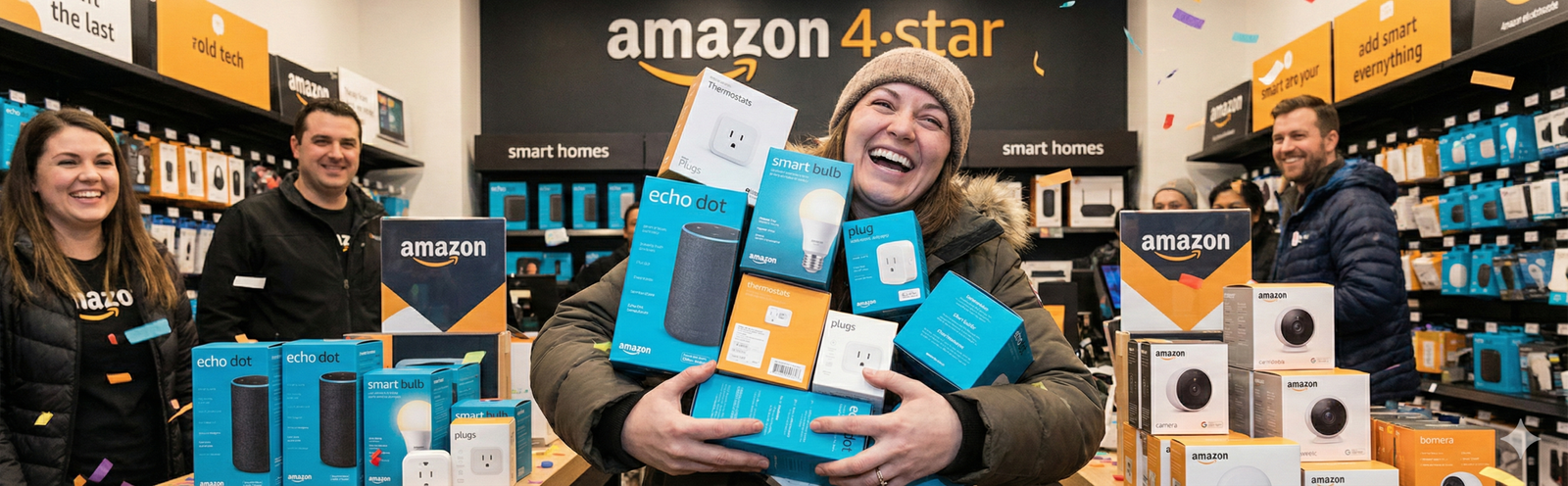
Buying too many devices during one sale cycle
Sales create urgency, but smart-home value reveals itself only in use. Buying four categories at once prevents you from learning what actually fits your routine. Start with one or two devices, live with them, and let the next need emerge naturally.
Ignoring outlet geometry and shelf space
This sounds obvious, but it gets overlooked constantly. Product photos make almost everything look compact. In real homes, outlet orientation, furniture placement, and cable paths change the experience. Measure before buying if the margin for error is small.
Confusing compatibility with convenience
A device can be technically compatible and still be annoying to use. Compatibility is the floor. Smooth daily use is the goal. That is why you should read past the “works with” label and think about real control flow, family access, and app friction.
Turning simple routines into elaborate automations
Many small homes benefit more from straightforward schedules and scenes than from complicated, condition-based automations. Complexity increases the odds of something breaking, and small homes usually do not have enough moving pieces to justify overengineering.
Forgetting maintenance
Even good smart products ask something of you: charging, app updates, password management, router changes, or occasional re-checks. If a setup is only pleasant during the first week, it is not a strong setup. Low-maintenance wins long term.
The drawer-clutter test
Before buying, ask yourself where this device will live if you stop using it. If the answer is “probably in a drawer with chargers and adapters,” you are likely buying a novelty instead of a solution.
A Realistic Maintenance Routine for Small Homes
A strong smart-home setup should not require weekly babysitting. Still, a light maintenance routine helps keep it reliable.
Once a month
- Check that your key routines still trigger at the right times.
- Review whether any device notifications have become noise.
- Confirm that shared users still have the access they need.
- Notice whether any battery-powered device is drifting toward annoyance.
When your Wi-Fi changes
This is where many “good” setups break. Save your device list, login details, and basic room assignments somewhere simple. The more compact your home, the easier it is to rebuild calmly if you have a record of what matters.
Every few months
Audit the setup honestly. What do you still use? What do you never think about because it works? What do you avoid because it is annoying? That last category is where money quietly gets wasted. Small homes reward pruning just as much as they reward good additions.
Scenario-Based Recommendations
The best setup depends on how you live, not only on square footage. These scenarios can help you match the right starting path to your actual home.
Scenario 1: The studio renter who wants less friction
Your best setup is probably minimal: one compact control point, one plug for your main lamp or fan, and maybe one smart bulb if lighting mood matters to you. Skip advanced security unless the entry setup genuinely supports it. You are optimizing comfort, not creating a command center.
Scenario 2: The one-bedroom couple sharing routines
Shared access matters here. Choose a simple ecosystem, agree on naming, and avoid duplicate apps wherever possible. Entry lighting, a living-room control point, and one bedtime scene often deliver more practical value than adding lots of isolated gadgets in separate corners.
Scenario 3: The small-home owner focused on bills and comfort
Energy-conscious routines may justify going beyond plugs and bulbs. This is where it can make sense to look harder at thermostat strategy, smart schedules, and room-based comfort patterns, especially if your HVAC setup supports it.
Scenario 4: The buyer who wants security first
Security-first setups need more discipline than convenience-first setups. Do not add cameras, doorbells, and sensors all at once because the marketing bundles them. Start by deciding what you actually need: package visibility, entry alerts, or general deterrence. Then buy only the layer that answers that need.
Best next read for beginners
See category-level recommendations before you buy your first devices.
Read the beginner guideBest next read for energy savings
Learn where smart plugs and lights actually earn their keep.
See energy-saving ideasBest next read for broader inspiration
Browse practical home-tech ideas after your core setup is working.
Explore home-tech ideasPrivacy, Notifications, and Subscription Creep
Small-home buyers often underestimate how fast a setup can become mentally noisy. A notification from one device feels manageable. A stream of low-value alerts from three categories feels like digital clutter. Because the physical home is smaller, the digital clutter can feel bigger by comparison.
Keep a strict policy:
- Turn off non-essential notifications early.
- Be cautious with devices whose best features live behind recurring subscriptions.
- Ask whether a camera or always-listening device is welcome in the room where it will live.
- Prefer clear household rules over “we’ll figure it out later.”
Convenience is real, but so is friction from extra alerts, accounts, and fees. Small-home setups are strongest when they stay easy to live with, not just easy to demo.
FAQ
What is the best first smart device for a small home?
For most people, it is either a smart plug connected to a lamp or fan, or one compact speaker/display that becomes the control center for simple routines. Those categories usually offer the best ratio of usefulness to cost, space, and complexity.
Are smart bulbs or smart plugs better for small apartments?
It depends on the routine. Smart plugs are often better for beginners because they are simple, flexible, and useful for lamps or fans. Smart bulbs make more sense when you truly want dimming, scene control, or scheduled lighting moods. If people in the home frequently use the wall switch, plugs can be less frustrating.
Do I need a hub for a small-home smart setup?
Usually not at first. Many beginners do better with a low-friction setup that avoids extra hardware unless there is a clear reason to add it. Hubs can be worthwhile later, but they should solve a defined problem, not act as a default purchase.
Is a smart thermostat worth it in a small home?
Sometimes, but not automatically. It is most worth considering when you control the HVAC, have compatible equipment, and benefit from scheduling or away/home behavior. In many rentals or centrally managed buildings, the payoff is too limited for it to be an early priority.
Can a small home have too many smart devices?
Absolutely. In fact, small homes reach that point faster than larger homes. Too many devices create outlet competition, visual clutter, app clutter, and more maintenance. That is why staged buying matters so much here.
How do I avoid wasting money on smart-home gear?
Start with one real problem, pick one ecosystem, favor compact and stable devices, and expand only after a few weeks of use. If you cannot explain the job of the next purchase in one sentence, do not buy it yet.
Should renters build a smart home differently from owners?
Yes. Renters should prioritize portability, easy removal, and low-commitment upgrades. Owners have more reason to consider installed products like certain security or climate-control devices, but even then the small-home logic still applies: buy around real routines, not around theoretical capabilities.
What matters more in small homes: features or reliability?
Reliability, almost every time. A modest feature set that works daily is much more valuable than a feature-rich product that disconnects, nags, or crowds your space.
Final Verdict
The best smart home setup for a small home is not the one with the most categories, the most automations, or the longest feature list. It is the one that removes friction without stealing space. That means compact devices, one clear ecosystem, a small number of high-value routines, and a willingness to stop buying once the job is done.
If you remember only one thing, make it this: small homes reward selectivity. Build around what you do every day. Let convenience prove itself. Expand slowly. Anything else risks turning a practical upgrade into visible clutter with a login screen.
When you are ready for product-level research, use this page as your filter, then continue with our beginner guide to smart home devices and the related guides linked throughout this article. That combination gives you a better chance of building a setup that feels intentional, affordable, and genuinely helpful.
Amazon Disclosure
As an Amazon Associate, Buyers Choice Lab may earn from qualifying purchases. Some pages linked from this guide may contain affiliate links. That does not change our editorial goal: helping readers choose products based on practical fit, real-world usefulness, and better buying decisions.