Introduction
You know that annoying moment when you finally decide to buy something practical—filters, a battery backup, a kitchen staple—and the price is suddenly $15–$40 higher than you remember?
That’s not always “inflation” in the big-picture sense. On Amazon, prices move constantly due to demand spikes, seasonality (allergy season, back-to-school, holiday), promo cycles, and stock levels. The trick isn’t panic-buying. It’s buying the right practical items a little earlier than you need them—so you lock in a better price and avoid last-minute stress.
This guide helps you do that with products that:
- show up consistently in Best Seller lists (high purchase intent),
- get used in real life (not “drawer clutter”),
- and are easy to buy confidently without getting lost in specs.
(Affiliate note: If you buy through links on our site, we may earn a commission—at no extra cost to you. We still aim to be honest and helpful.)
Category overview: “Buy now” products (before price swings)
This article is about high-utility products with predictable “need it soon” behavior, like filters, backups, and everyday appliances. Many of these categories climb in price when:
- a season starts (allergies, wildfires, storms, holidays),
- a popular model sells out,
- or big sale windows end (prices revert).
Who this is ideal for
- People who hate “emergency purchases” and want fewer household surprises.
- Anyone building a more reliable home setup (cleaner air/water, power protection, easier cleaning).
- Busy households who want products that save time weekly.
Who should not buy right now
- If you’re carrying credit card debt at high interest.
- If you don’t have a place to store replacement filters/extra gear.
- If you’re unsure you’ll use it in the next 90 days—price savings won’t beat unused clutter.
Practical daily benefits
- Fewer “ugh, we’re out of filters” moments
- Cleaner air/water with less friction
- Less time cleaning / fewer small annoyances
- More protection for electronics and routines
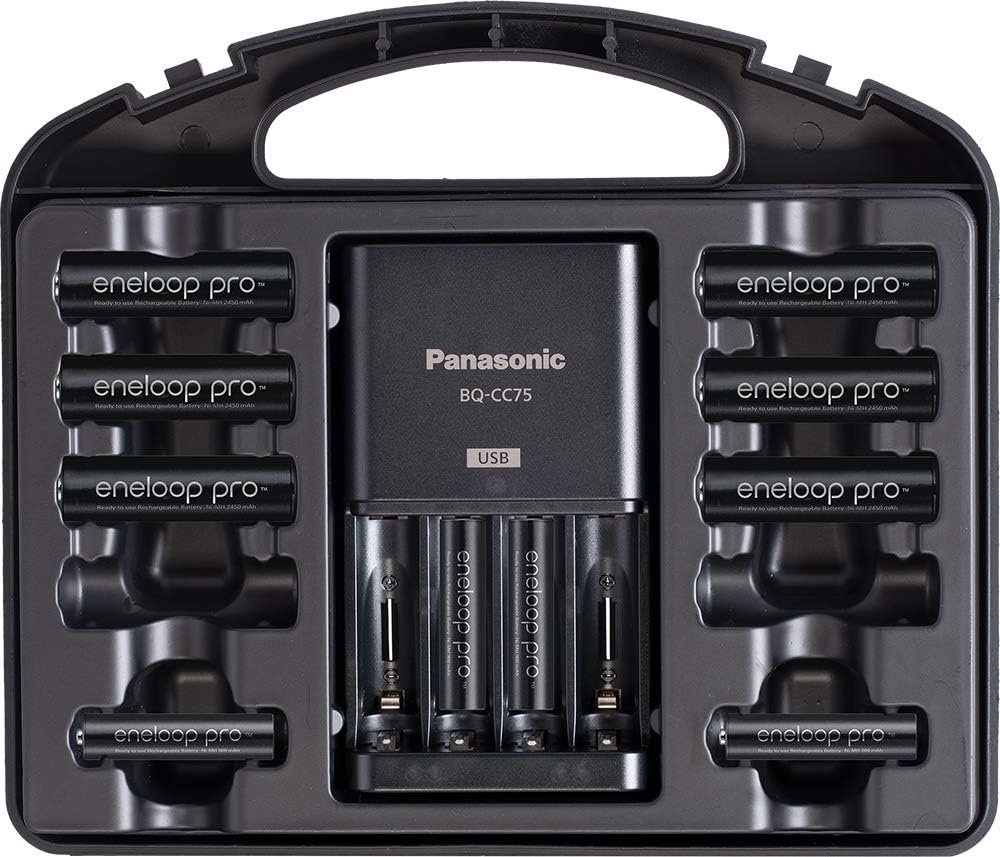
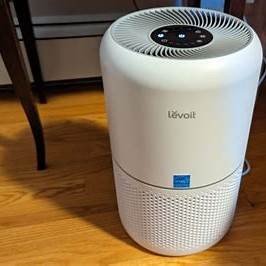
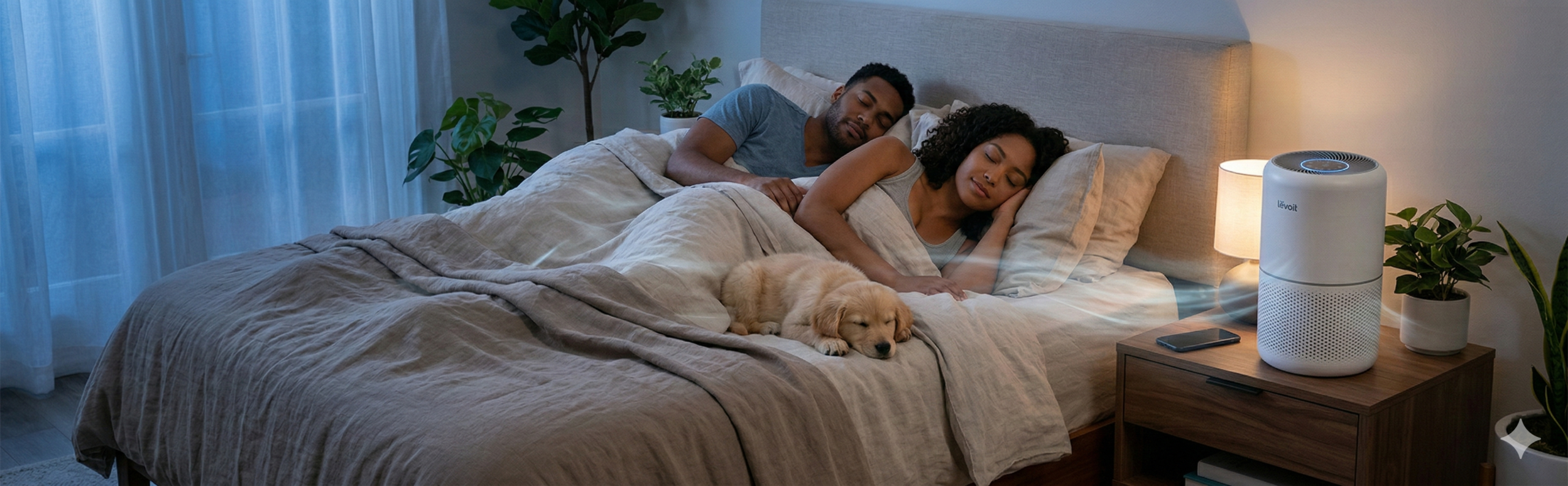
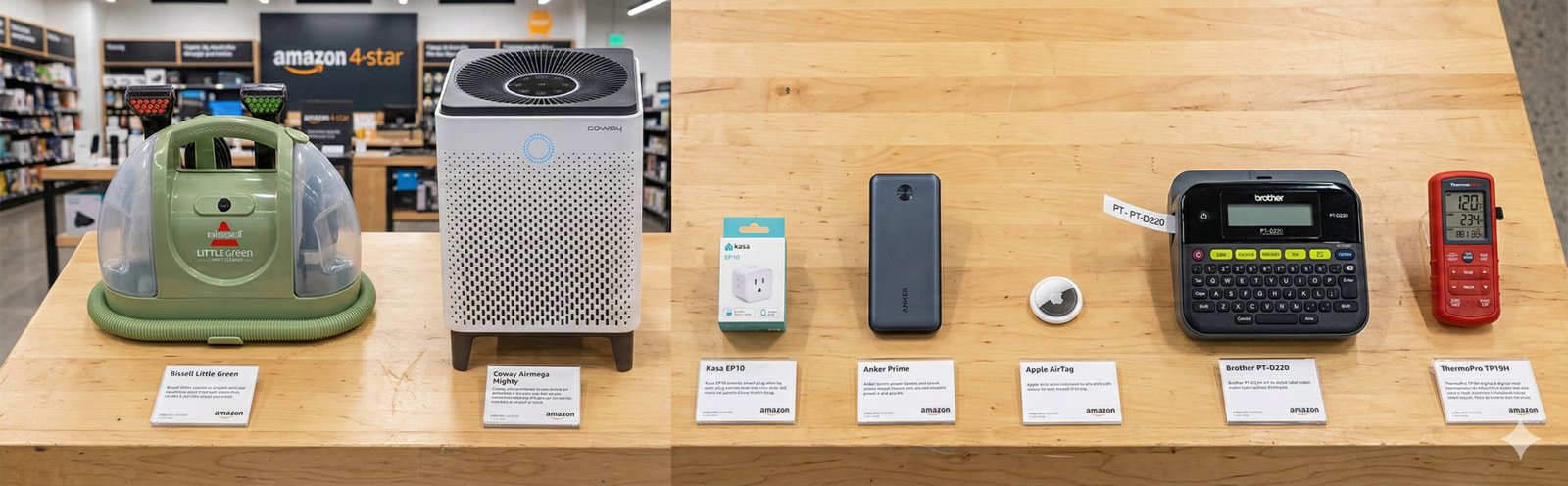
The images above show a few examples of the kinds of practical, in-the-home products we’re talking about.
Top Picks: Best Amazon Products to Buy Before Prices Rise
🔷 Brita Water Filter Pitcher (with Standard or Elite filters)
What it does (technical, manufacturer-based)
A Brita pitcher filters tap water to reduce taste/odor (chlorine) and certain contaminants depending on the filter type. Setup includes flushing the system and following filter replacement guidance.
How to use it (step-by-step, per Brita guidance)
- Install/seat the filter correctly.
- Fill the reservoir with cold tap water (Brita cautions against hot water for some filters).
- Discard the first 3 full pitchers of filtered water (or use it for plants) to flush carbon dust and prime the filter.
- Replace filters on the schedule (Brita notes Standard filters are commonly replaced around 40 gallons / ~2 months for many households).
Real-life daily benefits
- Saves fridge space vs bottled water cases.
- Encourages more water drinking without “tap taste.”
- Makes cooking coffee/tea taste more consistent.
Pros (based on reviews + common buyer feedback)
- Easy “set it and forget it” habit once it’s running.
- Filters are widely available and easy to stock.
Cons (what people complain about)
- Filter replacement cost adds up if you don’t track changes.
- Pitcher size can feel too small for big families unless you refill often.
Ideal for
- Apartment renters, families with kids, anyone trying to cut bottled water purchases.
Kids/teens safety
- Low risk, but keep filters out of reach of toddlers.
Check price on Amazon (and consider adding 1–2 extra filter packs so you’re not forced into “last-minute pricing”).

- CERTIFIED REPLACEMENT FILTERS: 3-Count of WQA NSF/ANSI certified Brita Standard replacement water filters reduce chlorin…
- LASTS 2 MONTHS PER FILTER: Each Standard filter lasts 40 gallons or approximately 2 months based on average family usage…
- REPLACE UP TO 300 PLASTIC BOTTLES: Each Standard filter replaces up to 300 single-use 16.9 oz plastic bottles — that’s u…
🔷 Levoit Core 300 / 300-P Air Purifier (small-room workhorse)
What it does (technical, manufacturer-based)
Levoit uses a multi-stage filter system (pre-filter + HEPA + activated carbon in many configurations) to capture particulate matter and reduce odors. The Core 300 line is widely purchased and frequently appears in top air purifier lists and Amazon best-selling rankings.
How to use it (step-by-step, per manual)
- Unbox and remove plastic packaging from the filter before first use.
- Place on a flat surface with clearance around air intake/outlet.
- Plug in and press Power.
- Choose fan speed / sleep mode as needed.
- When the filter indicator signals replacement, install a new filter and reset per the manual.
Real-life daily benefits
- Helps during allergy season, pet dander weeks, and smoky cooking days.
- Makes bedrooms feel “less dusty,” especially with consistent use.
Pros
- Straightforward setup; quiet modes are genuinely usable for sleep.
Cons
- Ongoing cost: replacement filters.
- No purifier is “set-and-forget”—performance depends on correct room sizing and regular filter changes.
Ideal for
- Bedrooms, home offices, small apartments, pet owners.
Kids/teens safety
- Keep fingers away from intake/outlet; don’t let kids play with it.
- Quick buying tip: check safety notices/recalls for any brand before purchasing; CPSC regularly posts warnings and recall links.
- Check price on Amazon—and compare the unit + filter bundle vs buying filters later at peak season.
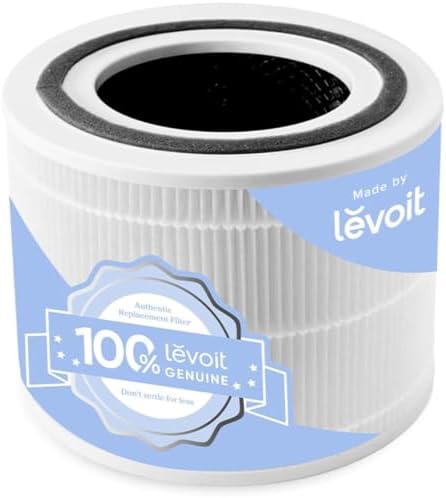
- 𝐆𝐄𝐍𝐔𝐈𝐍𝐄 𝐑𝐄𝐏𝐋𝐀𝐂𝐄𝐌𝐄𝐍𝐓 𝐅𝐈𝐋𝐓𝐄𝐑: Designed specifically for the Core 300-P / Core 300S-P air purifiers to maintain its peak pe…
- 𝐇𝐄𝐏𝐀-𝐆𝐑𝐀𝐃𝐄 𝐏𝐄𝐑𝐅𝐎𝐑𝐌𝐀𝐍𝐂𝐄 𝐈𝐍 𝐒𝐋𝐄𝐄𝐏 𝐌𝐎𝐃𝐄: Helps Levoit Core 300-P achieve HEPA* filtration efficiency during Sleep Mode. Ult…
- 𝐋𝐄𝐕𝐎𝐈𝐓 𝐆𝐄𝐍𝐔𝐈𝐍𝐄 𝐅𝐈𝐋𝐓𝐄𝐑: Guaranteed quality, detailed manufacturing process, and free from size mismatches to tackle unwan…
🔷 Panasonic eneloop Rechargeable Battery Kit (AA/AAA + charger)
What it does (technical, manufacturer-based)
Panasonic eneloop Ni-MH rechargeable batteries and compatible chargers are designed for repeated charging (great for remotes, controllers, kids’ toys, smart locks, etc.). Manuals emphasize correct battery type, polarity, and safe charging practices.
How to use it (step-by-step, per manual)
- Insert AA/AAA Ni-MH batteries with correct polarity (+/−).
- Plug charger into power.
- Watch indicator lights for charging status (varies by charger model).
- Remove batteries after charging completes; store in a dry place.
- Do not mix old/new batteries in the same device; don’t charge non-rechargeable batteries.
Real-life daily benefits
- You stop “buying batteries” and start “recharging batteries.”
- Great for high-drain devices (game controllers, microphones, camera flashes).
Pros
- Long-term cost savings if you’re a heavy battery household.
- Reduces emergency store runs.
Cons
- Higher upfront cost than a pack of alkalines.
- Some people forget to rotate charged sets (easy fix: label sets A/B).
Ideal for
- Families, gamers, photographers, smart-home households.
Kids/teens safety
- Batteries are a serious ingestion hazard for small children; store locked away.
Check price on Amazon—battery kits often swing in price, so buying when you first notice a good deal is usually smarter than waiting.

- LONG LASTING PERFORMANCE: Recharge eneloop AA rechargeable batteries up to 2100 times
- POWERFUL NiMH RECHARGEABLE BATTERIES: eneloop AA Ni-MH pre-charged rechargeable battery deliver up to 2100mAh typical, 2…
- PRE-CHARGED AND READY TO USE: eneloop AA rechargeable batteries are pre-charged at the factory using solar power and mai…
🔷 APC Back-UPS (e.g., BE650G1) Battery Backup + Surge Protection
What it does (technical, manufacturer-based)
A APC Back-UPS provides surge protection and short-term battery power for devices like routers/modems, a desktop PC, or a work-from-home setup. The BE650G1 class is commonly listed around 650VA / 390W capacity (varies by exact model).
How to use it (step-by-step, per user guide)
- Connect the internal battery cable (many units ship disconnected).
- Plug the UPS into a wall outlet.
- Plug critical devices into battery backup outlets (router, modem, PC).
- Plug non-critical items into surge-only outlets (printer, speakers).
- Avoid overload; if it trips, follow the reset guidance in the manual.
Real-life daily benefits
- Keeps Wi-Fi alive during brief outages.
- Prevents “work lost” from sudden shutdowns.
- Protects electronics from spikes.
Pros
- Very practical for remote workers and gaming PCs.
- Helps stabilize your routine during storms/outages.
Cons
- Battery will eventually need replacement.
- Some buyers overestimate runtime—this is “save your work and stay online briefly,” not “run your whole house.”
Ideal for
- Work-from-home, students, anyone with important devices.
Kids/teens safety
- Heavy unit; place where it can’t be tipped.
- Don’t let kids plug/unplug frequently.
Check price on Amazon—UPS units can jump in price ahead of storm seasons or after big sale events.

- KEEPS DEVICES RUNNING DURING POWER OUTAGES: Reliable 550VA / 330W UPS battery backup that protects home office electroni…
- STAY CONNECTED WHEN IT MATTERS MOST: Delivers up to 22 minutes of runtime when powering a 100W load. Mid-Size battery ba…
- POWER & CHARGE ALL YOUR ESSENTIAL DEVICES: 8 well‑spaced outlets (4 battery backup + surge protection, 4 surge‑only), pr…
🔷 Instant Pot Duo (6-Qt) Multi-Cooker (Pressure cook + more)
What it does (technical, manufacturer-based)
Instant Brands Duo models combine multiple cooking functions (pressure cooking, sauté, steaming, slow cooking, etc.). Manuals detail safe lid locking, sealing/venting, and pressure release methods.
How to use it (step-by-step, per manual)
- Add ingredients + required liquid (pressure cooking needs liquid).
- Close lid and set valve to Sealing.
- Select a program and cook time.
- When cooking ends, release pressure using:
- Natural Release (wait for pressure to drop on its own), or
- Quick Release (carefully vent steam).
- Open only after the float valve drops and the unit indicates safe to open.
Real-life daily benefits
- Weeknight meals without babysitting the stove.
- Meal prep that doesn’t require multiple pots.
Pros
- Huge recipe ecosystem; easy to repeat successes.
- Tested-buying guidance exists from reputable food sites.
Cons
- Takes a few uses to feel confident with pressure release.
- Bulky if you have limited counter space.
Ideal for
- Busy families, meal-preppers, anyone tired of takeout creep.
Kids/teens safety
- Steam burns are real—keep kids away during pressure release.
Check price on Amazon—multi-cookers are classic “sale-cycle” items and often swing between promo pricing and full price.

- 11 Cooking Functions: Air fry, roast, bake, dehydrate, pressure cook, slow cook, sauté, steam, sterilize, warm, or cook …
- Customizable Smart Programs: Tackle every recipe with 11 one-touch options, from hearty soups to decadent desserts.
- Good Food Done Faster: Cook up to 70% faster compared to slow cooking methods.
🔷 iRobot Roomba 105 (entry-level robot vacuum that’s still useful)
What it does (technical, manufacturer-based)
iRobot Roomba 600-series models automate vacuuming on carpets and hard floors, with charging docks, scheduled cleanings, and bin emptying routines described in the owner’s guide.
How to use it (step-by-step, per owner’s guide)
- Place the Home Base against a wall in an open area.
- Charge the robot.
- Press CLEAN to start a job; set schedules via the app if supported.
- Empty the bin regularly.
- Clean brushes and sensors to maintain performance.
Real-life daily benefits
- Turns “vacuuming” into something that happens while you do other stuff.
- Great for daily crumbs, pet hair, and dust maintenance.
Pros
- A simple robot vacuum can still be a quality-of-life upgrade.
- Models like Roomba 694 are often mentioned as budget picks in major review roundups.
Cons
- Not truly “hands-free”—maintenance still matters.
- Navigation is basic compared to premium LiDAR bots.
Ideal for
- Apartment dwellers, busy households, pet owners who want maintenance cleaning.
Kids/teens safety
- Keep small toys, cords, and socks off the floor to prevent tangles.
Check price on Amazon—robot vacuums are extremely deal-driven, so timing matters.
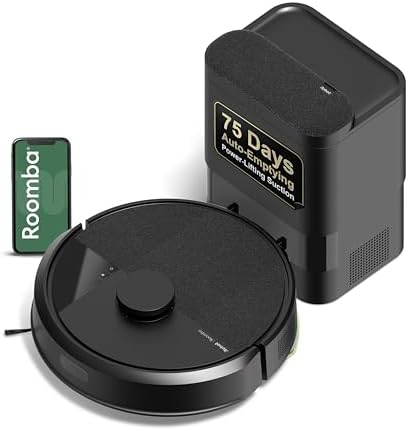
- UP TO 75 DAYS HANDS-FREE CLEANING. Dirt and dust stay gone because it empties into the AutoEmpty dock with a bag that tr…
- DEVOURS DIRT WITH 70X MORE POWER-LIFTING SUCTION. 3-Stage Cleaning includes 70X more power-lifting suction*, a Multi-Sur…
- SUPER-SMART MAPPING AND NAVIGATION. ClearView LiDAR quickly maps your home to maximize coverage and provide a precise cl…
🔷 Ring Video Doorbell (battery or wired models)
What it does (technical, manufacturer-based)
Ring doorbells provide motion alerts, live video, and two-way talk through the Ring app. Setup generally involves in-app device pairing, Wi-Fi connection, and mounting.
How to use it (step-by-step, per installation guide)
- In the Ring app, choose Set Up a Device → Doorbells.
- Follow prompts; you’ll need Wi-Fi credentials.
- Mount using the included bracket and screws.
- Test video/motion and adjust motion zones in-app.
Real-life daily benefits
- Package awareness (especially helpful if you’re often away).
- Motion alerts for front-door activity.
Pros
- Very common ecosystem; lots of setup help online.
- Ring models consistently rank among top video doorbells in mainstream buying guides.
Cons
- Some features may require a subscription depending on how you want to store/rewatch recordings.
- Wi-Fi strength at the door is a make-or-break factor.
Ideal for
- Homeowners, renters (battery versions), anyone dealing with frequent deliveries.
Kids/teens safety
- Installation involves tools; keep teens supervised if they help mount it.
Check price on Amazon—smart-home gear is heavily promo-based, and pricing can rebound fast after sales.
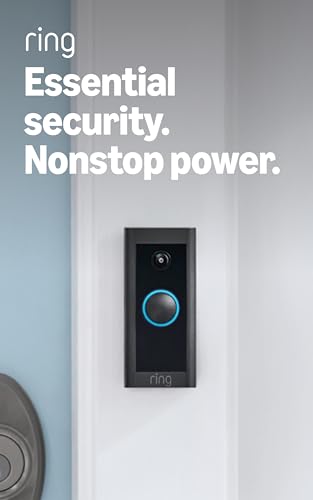
- Video Doorbell Wired captures 1080p HD video with two-way talk, advanced motion detection, standard 2.4 GHz connectivity…
- *Real-Time Notifications* – Know about visitors with alerts sent straight to your phone. To hear audio notifications in …
- *Advanced Motion Detection* – Know when someone’s at your front door before they ring your doorbell.
🔷 Oral-B Pro 1000 Electric Toothbrush
What it does (technical, manufacturer-based)
Oral-B Pro 1000 is a rechargeable electric toothbrush designed for timed brushing routines and consistent cleaning motion; manuals cover charging, brush head installation, timed intervals, and safe handling.
How to use it (step-by-step, per manual basics)
- Charge the handle on the base as directed.
- Snap on the brush head.
- Wet bristles, apply toothpaste.
- Brush gently; follow the built-in timer pacing (many models guide quadrant timing).
- Rinse head and store upright to dry.
Real-life daily benefits
- Removes “guessing” from brushing time.
- Helpful for people who brush too hard or rush.
Pros
- Frequently recommended as a strong value electric toothbrush pick.
- Easy to find replacement heads.
Cons
- Replacement heads are an ongoing cost.
- If you want advanced features (app tracking, fancy sensors), you’ll need a higher model.
Ideal for
- Most adults, teens, and anyone upgrading from manual brushing.
Kids/teens safety
- Fine for teens; for younger kids follow dentist guidance and choose kid-specific heads/handles if needed.
Check price on Amazon—toothbrush kits and head bundles often fluctuate around promos and holiday cycles.

- REMOVE UP TO 100% MORE PLAQUE* along the gumline whilst PROTECTING GUMS with our dentist-inspired round brush head techn…
- PROTECT YOUR GUMS with sensi cleaning mode and GUM PRESSURE CONTROL that automatically stops brush pulsations when brush…
- MAXIMIZE CLEANING performance with 3 EASY-TO-USE CLEANING MODES + handle-integrated quadrant timer that alerts you every…
Buying Guide: How to choose “buy now” items without overbuying
What to look for
- High-repeat utility: Filters, backups, and daily-use items beat novelty gadgets.
- Ongoing costs: Replacement filters/heads/batteries—check availability and typical replacement intervals.
- Support ecosystem: For smart devices, app and updates matter (doorbells, robot vacuums).
- Seasonality: Air purifiers and filters are classic seasonal spikes (allergies/wildfire smoke).
Common beginner mistakes
- Buying the device but forgetting the replacements (filters/heads), then paying peak pricing later.
- Choosing the cheapest model without checking your real use case (e.g., robot vacuum for a cluttered floor plan).
- Ignoring Wi-Fi signal strength for doorbells/cameras.
Cheap vs premium (quick examples)
- Robot vacuums: Budget = basic navigation; Premium = better mapping + self-empty docks.
- Air purifiers: Basic = manual fan modes; Premium = sensors + auto mode + app control.
- Video doorbells: Basic = core alerts + live view; Premium = higher resolution, better motion detection, more features.
Authority tip that saves money
- If you know you’ll need it within 60–90 days, buy when:
- it’s in stock,
- ratings look stable,
- and the price is “normal-good” (not necessarily the lowest ever).
Waiting for the absolute bottom often backfires when stock disappears.
Quick Comparison (simple)
| Product | Best for | Ongoing cost | Setup effort | Why it’s a “buy before prices rise” item |
|---|---|---|---|---|
| Brita Pitcher | Better-tasting water | Filters | Low | Filters + pitchers fluctuate; avoiding “out of filters” buys |
| Levoit Core 300 | Small-room air cleaning | Filters | Low | Seasonal spikes + filter availability |
| eneloop Kit | Batteries for everything | None (after kit) | Low | Battery kits swing; saves long-term |
| APC Back-UPS | Protecting work + Wi-Fi | Battery replacement | Medium | Storm season / demand spikes |
| Instant Pot Duo | Faster home cooking | None | Medium | Promo-cycle pricing changes often |
| Roomba 150 | Daily floor maintenance | Parts/filters | Medium | Deal-driven pricing |
| Ring Doorbell | Delivery/security alerts | Possible subscription | Medium | Heavy promo cycles; prices rebound |
| Oral-B Pro 1000 | Better brushing habit | Brush heads | Low | Bundle pricing changes often |
FAQ
1) Are Amazon prices really that unstable?
Yes—especially for popular items and promo-cycle products. Best Sellers tend to see frequent price movement due to demand and inventory dynamics.
2) What’s the safest way to “buy before prices rise” without overbuying?
Only buy items you’re confident you’ll use within ~90 days, or items with predictable replacement cycles (filters, brush heads).
3) Is it better to buy one premium item or several basics?
Usually: buy one reliable core device (air purifier, multi-cooker) and stock the consumables when priced well (filters, heads).
4) Do air purifiers help with smoke/allergies?
Many reputable guides emphasize HEPA-based filtration as useful for particulate reduction, especially when used correctly for room size and maintenance.
5) Do I really need a UPS (battery backup)?
If you work from home, have flaky power, or you hate losing progress mid-task—yes, it’s one of those purchases you appreciate the first time it saves you.
Conclusion
If you want to buy smarter before prices swing, focus on high-utility items that solve daily friction:
- Best “always useful” picks: Brita Pitcher, eneloop kit, Oral-B Pro 1000.
- Best “seasonal timing” picks: Levoit air purifier (and filters), APC Back-UPS.
- Best “deal-cycle” picks: Instant Pot Duo, Roomba 150, Ring doorbell.
If you’re deciding between two products with the same function, here’s a simple rule:
Buy the one you’ll use weekly, and then lock in the refill/consumable that keeps it useful.
Ready to buy?
Pick 1–2 categories you already know you need this quarter and check price on Amazon—you’ll avoid last-minute pricing and get the benefit sooner.